What Is a Camera Megapixel and Why Does It Matter?
A camera megapixel measures how many million pixels compose your image, affecting its resolution and detail. More megapixels mean sharper photos, especially when printing large or cropping tightly.
However, sensor and lens quality also play vital roles, as they determine how effectively those pixels capture light and clarity. Too many megapixels create bigger files and slower processing.
Understanding these factors helps you choose the right camera for your needs and reveals more about image quality advantages.
Key Takeaways
- A megapixel equals one million pixels, representing the total number of pixels in a digital image.
- Higher megapixels increase image detail, enabling larger prints and more cropping flexibility without quality loss.
- Megapixels determine print size and clarity, with specific counts needed for sharp prints at various DPI settings.
- Excessive megapixels create larger files, requiring more storage and processing power, potentially slowing workflow.
- Image quality depends on sensor and lens quality, which affect light capture, sharpness, and overall clarity beyond megapixel count.
What Is a Megapixel in a Camera Image
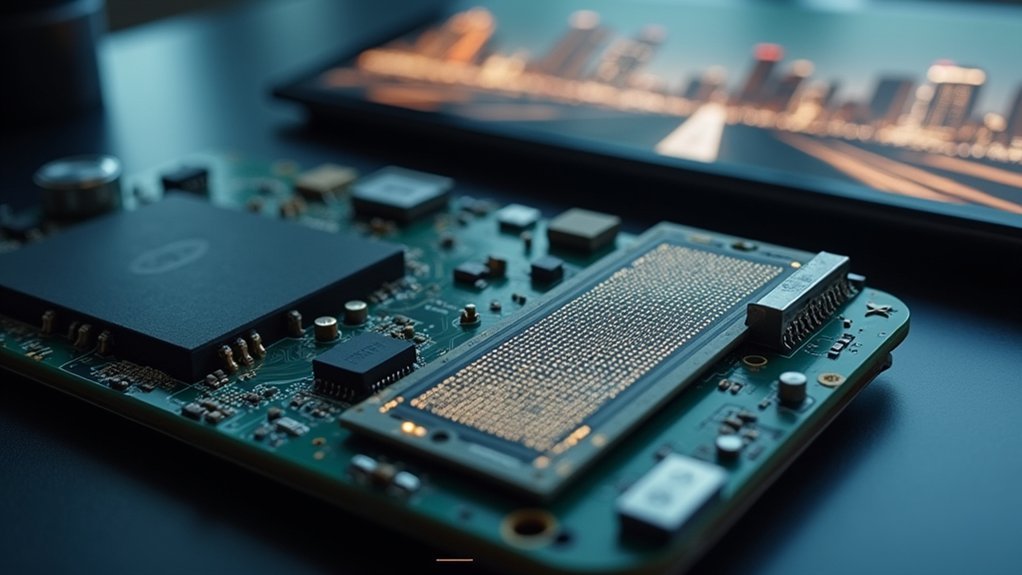
A megapixel (MP) represents one million pixels, the smallest units that compose a digital image. When you capture a photo, the total number of pixels is determined by multiplying the image’s width and height in pixels, resulting in the megapixel count.
Higher megapixel counts mean your camera sensor records more detail, enhancing image quality, especially for large prints or significant cropping. However, determining image quality isn’t solely about megapixels. Factors like sensor size and the camera’s ability to capture accurate light and color critically influence the final result.
Professional photographers often prefer cameras with 24 megapixels or more to meet high-resolution demands, while typical users find 12 to 20 megapixels sufficient for everyday needs.
Understanding megapixels helps you evaluate how much detail your camera can capture.
How Megapixels Relate to Photo Resolution and Detail
When you look at megapixels, you’re basically measuring how much detail your camera can capture, which directly affects how clear your images will be. The higher the megapixel count, the better the resolution, meaning you can make larger prints or crop your photos more aggressively without losing sharpness.
But here’s the thing—resolution isn’t the whole story when it comes to image quality. You also need to consider how well your camera’s sensor and lens perform to really understand the full picture.
Megapixels And Image Clarity
Although image clarity depends on multiple factors, megapixels play an essential role by determining the total number of pixels captured in a photo, directly affecting resolution and detail. The higher the megapixels, the more detail your image retains, which improves clarity and overall quality.
This becomes vital when you crop an image; higher megapixel counts preserve resolution, preventing loss of detail. For prints, megapixels guarantee your photos maintain sharpness and clarity at larger sizes, with cameras around 24 MP producing high-quality prints at 300 DPI.
While everyday use may not demand very high megapixels, professionals and large-format printers rely on them to achieve superior image clarity.
Understanding this relationship helps you choose cameras that meet your resolution and quality needs effectively.
Resolution Versus Pixel Count
Since megapixels represent the total number of pixels in an image, calculated by multiplying its width and height in pixels, they directly influence the photo’s resolution and detail. A higher megapixel count means greater resolution, which lets you capture finer detail.
This is vital when cropping or enlarging images for large print sizes. For example, a 24 MP sensor supports prints up to 40×26.7 inches at 150 DPI without losing detail.
However, megapixels alone don’t determine image quality; sensor size, lens quality, and intended use also matter greatly. Understanding the balance between pixel count and resolution helps you choose the right camera for your needs.
This ensures sufficient detail retention and ideal print or digital output without unnecessary file size increases.
When Do Megapixels Impact Image Quality?
How much do megapixels truly affect your image quality? Megapixels significantly impact image quality when you print photos at high resolution or crop images extensively.
A higher megapixel count provides more detail, enabling sharp 18-inch prints at 300 DPI and preserving clarity after cropping. However, megapixels alone don’t guarantee superior results; factors like lens quality and camera sensor size play critical roles.
In low light, increasing megapixels often means smaller pixels, which can introduce noise and degrade the digital image.
For typical digital viewing and social media, around 8-12 megapixels suffice, as platforms rarely require higher resolution.
How Many Megapixels Do You Need for Printing Photos?
When it comes to printing photos, you want to make sure your camera’s megapixels line up with the size of your print and the DPI (dots per inch) you’re aiming for. This is key to keeping your images sharp and clear.
For instance, if you’re printing a 12 x 18 inch photo at 300 DPI, you’ll need about 19.4 megapixels to avoid any pixelation.
Knowing this connection between megapixels, print size, and DPI makes it easier to pick the right resolution for whatever print project you have in mind.
Print Size Requirements
Although print size and resolution might seem straightforward, you need to carefully consider how many megapixels your camera must have to achieve sharp, high-quality prints.
For example, an 8 x 10 inch print requires about 8 megapixels to maintain good image quality, while a 12 x 18 inch print at 300 DPI demands at least 19.4 megapixels to prevent pixelation.
Larger prints like 24 x 36 inches at 150 DPI need a minimum of 16.6 megapixels for clear detail in the final output.
If you’re aiming for very large prints, such as 40 x 26.7 inches at 150 DPI, a 24-megapixel camera typically suffices.
Understanding the interplay between megapixels, print size, and DPI helps you avoid pixelation and guarantees your camera captures enough detail for high-quality prints.
DPI and Resolution
Because DPI (dots per inch) directly impacts print sharpness, you need to match your camera’s megapixel count to the intended print size and DPI setting.
DPI determines the resolution and quality of your printed images, affecting detail and pixelation.
For example:
- Printing 12 x 18 inches at 300 DPI requires about 19.4 megapixels to maintain sharpness without pixelation.
- At 150 DPI, the same size print only needs roughly 4.9 megapixels, suitable for larger prints with less detail.
- Higher megapixels in your camera allow for larger prints or cropping without sacrificing resolution.
Understanding this relationship guarantees you achieve peak print quality by selecting the right camera resolution based on your desired print dimensions and DPI, avoiding loss of detail or unwanted pixelation in your photos.
How Megapixels Improve Cropping Options
If you want to crop your images extensively without sacrificing detail, higher megapixel counts give you that flexibility. Higher megapixels mean better cropping flexibility since a higher number of pixels allows you to zoom in on specific areas while maintaining quality in the final image.
For instance, a 60 MP sensor supports significant cropping, enabling you to adjust composition precisely in photo editing software without pixelation. Conversely, lower megapixels limit how much you can crop before image quality degrades.
Even a 20 MP camera can maintain detail for prints around 16×24 inches after cropping, but it offers less leeway. Ultimately, increasing megapixels improves your ability to refine framing post-capture, ensuring your edited photos retain sharpness and clarity regardless of cropping extent.
Who Benefits Most From Higher Megapixel Cameras?
Higher megapixel cameras expand your creative and professional possibilities by delivering exceptional detail and cropping flexibility.
If you’re a professional photographer, a higher megapixel count enables you to produce large format prints with better image quality and execute significant cropping without losing detail.
Likewise, graphic designers rely on high-quality photos with ample megapixels required for extensive editing and manipulation.
Security professionals also benefit from improved identification capabilities thanks to high-resolution sensors.
Who benefits most?
Professional photographers needing large format prints and detailed cropping
Graphic designers requiring flexible, high-resolution images for complex projects
Security personnel seeking improved identification capabilities in surveillance footage
Understanding your specific needs helps determine the best megapixels required to maximize image fidelity and post-processing potential.
Drawbacks of Having Too Many Megapixels
While increased megapixels can improve image detail, they also introduce considerable drawbacks that you should consider. High megapixel cameras generate notably larger file sizes, which demand more storage and processing power, slowing down your workflow.
The smaller individual pixels on such sensors often struggle in challenging light conditions, increasing noise and reducing image quality compared to cameras with lesser pixels. This reduction in dynamic range can affect overall image fidelity.
Furthermore, the extra detail from excessive megapixels usually offers diminishing returns, as you rarely need that resolution at standard viewing sizes. Unless you plan to crop your images extensively, the benefits may not justify the complications.
Managing large files can overwhelm casual users, making sharing and uploading more cumbersome.
Ultimately, balancing megapixels with practical use is key.
How Sensor and Lens Quality Influence Megapixel Performance
Understanding megapixels alone won’t guarantee superior image quality. The sensor and lens play a decisive role in how effectively those pixels perform. The camera sensor’s quality determines how much light and detail it can capture, directly influencing overall image quality.
Meanwhile, lens quality affects sharpness, contrast, and distortion. These factors are vital for maximizing megapixel potential.
Consider these points:
- Larger, high-quality camera sensors improve detail and low-light performance even at moderate megapixel counts.
- A high-quality lens reduces optical flaws, allowing each pixel to contribute to crisp, clear images.
- Aperture size influences depth of field and improves image quality under challenging lighting conditions.
Frequently Asked Questions
How Do Megapixels Affect Smartphone Camera Performance?
Megapixels affect your smartphone camera’s detail resolution, letting you capture finer image details. This is especially useful when cropping or printing large photos.
However, higher megapixels don’t always mean better quality. Sensor size and lens quality also play important roles in how your photos turn out.
Your phone may use pixel binning to improve low-light shots by combining pixels, so you get less noise. Keep in mind, higher megapixels increase file sizes, which impacts storage and editing speed.
Can Megapixels Impact Video Recording Quality?
Yes, megapixels directly impact video recording quality since they determine your footage’s resolution and detail.
Higher megapixels let you shoot clearer videos and crop without losing sharpness, which is essential for professional editing.
But be aware that smaller pixels on high-megapixel sensors may reduce low-light performance and increase noise.
Plus, higher megapixels generate larger files, demanding more storage and faster data handling.
Balancing megapixels with sensor size and lighting is key for peak video quality.
Are Higher Megapixels Always Better for Low-Light Photography?
You might think higher megapixels are the ultimate low-light heroes, but that’s not always true.
In dim settings, more megapixels often mean tinier pixels, which capture less light and introduce noise.
You’ll get cleaner, clearer shots with fewer, larger pixels since they gather more light individually.
How Do Megapixels Influence File Size and Storage Needs?
Megapixels directly influence your file size because more megapixels mean more image data captured.
For example, a 24 MP photo might be around 10-12 MB, while a 50 MP shot can surpass 30 MB.
This increase demands more storage space and longer transfer times.
To handle this, you’ll need ample storage solutions like external drives or cloud services, especially if you shoot high-volume or RAW images regularly.
Do Megapixels Matter for Social Media Photo Sharing?
Think of megapixels as the resolution of a painting.
For social media, you’re displaying it in a small frame. You don’t need a mural-sized canvas—8 to 12 megapixels capture enough detail for crisp posts without bloating file sizes.
Higher megapixels help if you crop or print large, but social platforms compress images anyway.
Conclusion
Think of megapixels like the threads in a fabric. The more threads you have, the finer the detail, but only if the material (sensor and lens) is high quality.
You don’t always need the highest megapixel count to get sharp, clear images. Instead, focus on your specific use—whether printing large photos or cropping tightly.
Ultimately, understanding megapixels helps you choose the right camera that balances detail, performance, and practicality for your needs.