Does Ring Camera Require Subscription and How to Use It Without One
You don’t need a subscription to use your Ring camera for live video feeds, instant motion alerts, and two-way talk. However, without a plan, you won’t be able to save, review, or share recorded footage since it only offers live viewing and real-time alerts.
You can still watch events live and get notifications free, and use screen recording tools to capture video if needed. Keep exploring to uncover how to maximize your Ring camera’s features without paying.
Key Takeaways
- Ring cameras function without a subscription, offering live video feeds and real-time motion alerts via the app.
- Without subscription, users cannot save or review recorded videos, limiting access to live view and instant notifications only.
- Two-Way Talk and device health monitoring remain fully accessible without any subscription fees.
- Screen recording on smartphones and PC can capture live video without subscription for saving important clips.
- Subscription adds video storage, playback, and sharing features, but basic security works well without it.
Does a Ring Camera Work Without a Subscription?
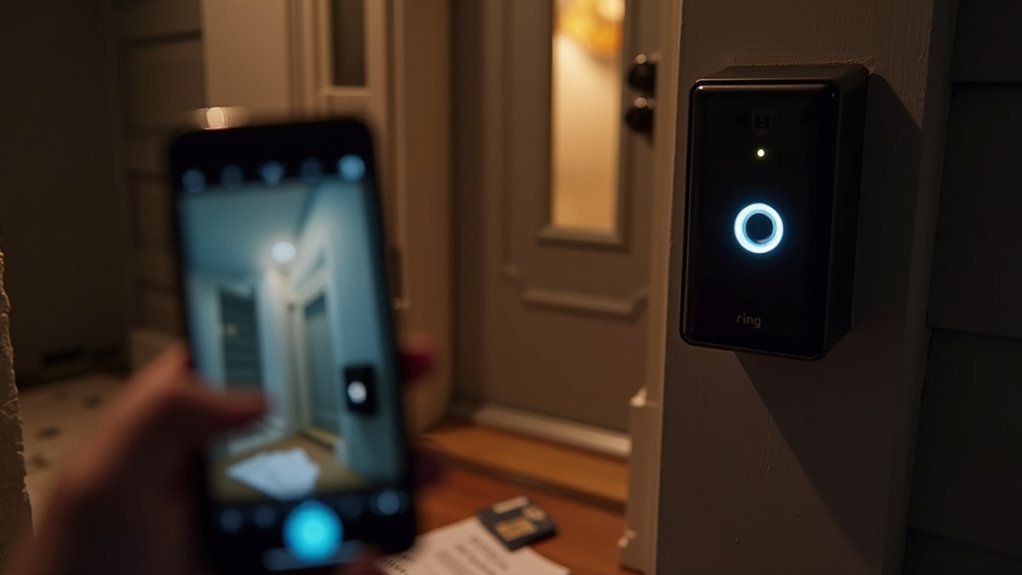
Wondering if your Ring Camera works without a subscription? Yes, it does. You can access live video feeds anytime and receive real-time motion alerts without a subscription.
The Two-Way Talk feature remains fully functional, so you can communicate with visitors directly through your device.
However, without a subscription, you won’t have access to recorded videos, meaning no video storage or saved footage for later review. This limits your ability to view historical events or missed notifications.
While the Ring app still provides basic notifications and device health monitoring without a subscription, advanced features like video storage require the Ring Protect subscription.
Free Features Available on Ring Cameras
You can definitely use your Ring camera without a subscription and still enjoy some great features.
For example, you’ll be able to check out the live view anytime you want. Plus, you’ll get motion alert notifications that let you know when something’s happening.
And here’s something cool—you can even talk through the camera thanks to two-way communication.
Live View Access
How can you monitor your home in real time without extra costs? With Ring cameras, you can access Live View anytime without needing a subscription. This lets you check your property instantly, giving peace of mind through real-time monitoring.
Alongside Live View, you’ll receive motion alerts even without a subscription, keeping you informed of activity as it happens. The two-way audio feature allows you to communicate directly with visitors or delivery personnel through the camera, all included for free.
Moreover, device health monitoring provides essential updates on battery life, Wi-Fi strength, and overall camera status, ensuring your system runs smoothly.
These features make it easy to keep a close eye on your home without paying extra for subscription plans.
Motion Alert Notifications
Along with Live View access, Ring cameras send motion alert notifications to keep you updated on any detected activity. You don’t need a subscription to receive these instant push notifications on your smartphone, tablet, or computer via the Ring app.
This free feature guarantees you stay informed in real-time about movements around your property. Plus, you can customize motion sensitivity settings to reduce unnecessary alerts and focus on meaningful activity.
While subscription plans offer additional benefits, basic motion alert notifications and live video access remain available without one, providing essential security and peace of mind.
Two-Way Communication
One key free feature on Ring cameras is Two-Way Talk, which lets you communicate directly with visitors through the Ring app. You can use this feature anytime on your mobile device, smartphone or tablet, to speak with delivery personnel or guests. This enhances your home security and convenience.
Two-Way Talk works without a subscription, so you don’t need to pay to respond in real-time or deter unwanted visitors. While motion alerts and Two-Way Talk are available for free, video recording and playback require a subscription.
Even without one, you’ll still get instant motion alerts and can interact via Two-Way Talk. This makes it easy to stay connected and secure from anywhere within your home Wi-Fi network. It keeps your communication seamless without extra costs.
Limitations of Ring Cameras Without a Subscription
Using a Ring camera without a subscription gives you access to basic features like live view, motion alerts, and two-way talk, but it comes with significant limitations.
Without subscription plans, you won’t be able to save or review recorded video, meaning no access to video history or the ability to share clips of incidents.
No subscription means no saved videos, no review, and no sharing of recorded incidents.
While you get real-time notifications and live view access, the lack of video storage restricts your ability to investigate past events. Furthermore, you won’t receive rich notifications that provide more detailed information about detected activity.
However, device health monitoring, like battery status and Wi-Fi strength, remains available.
Understanding these limitations helps you decide if a subscription plan suits your security needs or if basic features are sufficient for your Ring cameras.
How Long Does Ring Camera Keep Videos Without a Subscription?
Since Ring cameras without a subscription don’t store any video recordings, you won’t be able to access past footage at all.
Without a subscription, your Ring camera only provides live video feeds and motion alerts in real time.
While you can monitor events as they happen, none of these videos are saved, so you can’t review or playback any incidents later.
The Ring app’s Event History will show alerts, but actual video playback requires an active subscription.
This means your Ring camera’s functionality without a subscription is limited to instant alerts and live viewing only.
If you need video recordings or want to access past footage, subscribing is essential, as non-subscribers get no video storage or retrieval options.
What You Get With a Ring Subscription for Video Storage
Although you can view live footage without a subscription, subscribing to Ring grants access to video recording and storage for up to 180 days.
With a Ring subscription, you can save footage and review it anytime, unlike the limited live view available without one.
The Ring Protect Plan also offers snapshot capture, letting you see still images between events to create a clearer timeline.
Plus, you get a complete event history, so you won’t miss any notifications or important moments.
Different subscription tiers start at $4.99 per month, providing flexible options for video storage and recording that fit your needs.
How to Watch Live Ring Video Without Paying
Wondering how to keep an eye on your home without paying for a subscription? With Ring, you can access your camera’s live feed anytime through the free Ring app. You don’t need a subscription to watch live video, so you can monitor your property in real time without any extra cost.
While subscription plans offer video storage, you still get immediate access to live video and motion alerts without one. The Live View feature lets you see what’s happening around your camera instantly. Plus, you can use two-way audio to communicate with visitors.
Although you won’t be able to save or review past footage without a subscription, you’ll have full access to live video and essential device health info directly from the app.
Managing Ring Notifications Without a Subscription
When your Ring camera detects motion, it immediately sends real-time notifications to your smartphone, tablet, or computer, even without a subscription. You can rely on these notifications to stay informed about any activity around your home.
While Ring subscriptions provide access to video recording and playback, you don’t need one to get instant alerts or access live view anytime through the Ring app.
Furthermore, device health monitoring is available without a subscription, so you can easily check battery levels and Wi-Fi strength to guarantee your camera works effectively.
Although video recording requires a Ring Protect Plan, managing notifications and monitoring motion detection remain fully functional, letting you keep tabs on your property without paying for extra features.
Saving Ring Videos During Your Free Trial
During your free trial, you can easily access your video history right in the Ring app to check out all your recorded events.
And if you want to save any important clips, just tap the download arrow after you share the video. That way, you can keep key footage saved even before your subscription begins.
It’s a simple way to make sure you don’t lose anything important while you’re trying things out.
Accessing Video History
Although your new Ring device comes with a 30-day free trial subscription, you can save, review, and share your video recordings without any hassle.
During this free trial, you gain full access to your video history, including all recorded events.
To check your recordings, open the Ring app and tap the three-line menu, then select Event History.
Here’s how you can manage your video history during the subscription plan:
- View all recorded events easily within the app
- Access live feeds anytime, even without a subscription
- Download videos during the free trial for offline use
- Benefit from extended trials on select purchases, like Costco
- Share recorded clips directly from the app
Downloading Trial Recordings
You have 30 days to download any important Ring videos while your free trial subscription is active.
During this trial, your Ring subscription grants access to full video storage and event history, letting you review and save recordings.
To download, open the Ring app, tap the three-line menu to access Event History, and find the video you want.
Then, tap the download arrow next to the sharing option to save the recording to your device.
If you purchased through Costco, your trial might extend up to a year, giving you more time for downloading.
After the trial ends, without a subscription, you lose video storage and event history access, so make sure to save essential recordings before then.
How to Screen Record Ring Video on Your Smartphone
Wondering how to capture your Ring video directly on your smartphone? Screen recording is a simple way to save your Ring Live View without a subscription.
First, open the Ring app and tap your device to access Live View. Make sure you have the necessary permissions enabled for screen recording on your smartphone.
Here’s how to do it:
For iPhone, enable screen recording in Control Center before starting Live View. For Android, swipe down to find and activate the Screen Record feature.
Begin recording while watching your Ring video. Stop recording by tapping the red bar (iPhone) or notification (Android).
Locate your saved recording in your phone’s default storage location. This method lets you keep important footage easily and conveniently.
Recording Ring Video on PC or Laptop
Capturing your Ring video directly from your PC or laptop is straightforward once you access the live feed through the Ring website. For recording, Windows users can press Windows key + G to open Xbox Game Bar, while Mac users press Shift + Command + 5 to use the Screenshot toolbar.
If built-in tools don’t suit you, free screen recording software is a good alternative. Keep in mind, recording Ring video without a subscription means you manually save footage during live feed sessions. Recorded files are stored in Windows’ Captures folder or on the Mac Desktop.
| Platform | Access Method | Recording Tool | Storage Location | Subscription Needed? |
|---|---|---|---|---|
| Windows | Ring website live feed | Xbox Game Bar (Win+G) | Captures folder | No |
| Mac | Ring website live feed | Screenshot toolbar (Shift+Cmd+5) | Desktop | No |
DIY Ways to Save Ring Videos Without Paying for Subscription
You don’t have to pay for a subscription to save important Ring videos. Instead, you can use screen recording tools on your phone or computer to capture live footage directly from the app or website. It’s pretty straightforward and doesn’t cost a thing.
On top of that, you might want to explore local storage options or even third-party device integrations.
These methods give you more ways to store your videos without having to shell out extra money. So, with a little creativity, you can keep your important footage saved without any subscription fees.
Screen Recording Techniques
Although Ring’s subscription service offers convenient video storage, you can save your footage without paying by using screen recording techniques.
By accessing the Live View on your Ring camera through a smartphone or computer, you can capture video footage directly.
On Android or iPhone, simply enable your device’s built-in screen recording feature while viewing Live View.
For PC or Mac, use free software or built-in tools like Xbox Game Bar or Screenshot toolbar.
To record Ring camera video footage without a subscription, open Live View on your smartphone or computer.
Then activate screen recording on Android or iPhone.
On PC, use Xbox Game Bar (Windows) or Screenshot toolbar (Mac).
Stop recording when finished to save the file.
You can locate saved videos in your device’s gallery or folder.
This DIY method keeps your Ring videos accessible without monthly fees.
Local Storage Options
While Ring cameras don’t support built-in local storage, you can still save videos without a subscription by using creative DIY methods.
Since Ring relies on cloud storage for video recording, you might consider smartphone screen recording to capture live feeds temporarily.
Although this isn’t ideal for long-term storage, it’s a no-cost workaround.
For more permanent local storage, some users turn to third-party cameras that offer SD card support, letting you avoid subscription fees altogether.
These alternatives can integrate smart features similar to Ring’s system, giving you flexibility without monthly costs.
Keep in mind, Ring itself doesn’t provide local storage options, so these DIY methods or switching to third-party cameras are your best bets to save videos without relying on cloud storage or subscriptions.
Third-Party Integration Methods
If you want to save Ring camera videos without paying for a subscription, several DIY third-party integration methods can help. You can capture live video feeds using screen recording tools on your smartphone or PC, avoiding ongoing subscription costs.
Furthermore, some third-party cameras with local storage options can work alongside your Ring devices to store footage. Don’t forget the 30-day free trial when setting up new Ring devices, which lets you manually download videos without extra fees.
Here are practical methods to take into account:
- Use built-in screen recording on your phone or PC to capture live video from the Ring app.
- Download third-party screen recording software to record Ring live feeds via the website.
- Integrate third-party cameras offering local storage for direct video saving.
- Manually download videos during Ring’s 30-day free trial.
- Combine local storage devices like SD cards with compatible third-party cameras.
Alternatives to Ring Cameras With Local Storage and No Fees
When you want reliable home security without monthly fees, several alternatives to Ring cameras offer local storage options. Brands like Eufy provide video doorbells and security cameras that save footage locally, eliminating subscription fees.
Eufy’s devices record high-resolution videos directly to internal storage, so you won’t pay ongoing costs. Likewise, Blink video doorbells support USB drives for local storage, letting you keep recordings without a subscription.
Skybell also records to the cloud without charging fees, providing easy access to your clips.
While Google Nest offers advanced features, it requires a subscription for video storage, making it less ideal if you want to avoid fees.
Choosing these alternatives guarantees you get effective security with local storage and no surprise subscription charges.
Is a Ring Subscription Worth It for You?
How much value you get from a Ring subscription depends on your security needs and usage habits. Without a subscription, you still get live video and alerts, but features like video recording and saved footage are unavailable.
The Ring subscription depends on whether extended video storage duration affects how you monitor events and respond to incidents. Consider these points to decide if it’s worth paying for:
- Access to recorded videos for up to 180 days improves security features.
- Plans cover one or multiple devices, influencing cost-effectiveness.
- Real-time alerts remain free, but playback and downloads require a subscription.
- Local laws may affect how you use and store video footage.
- Evaluate how often you review footage and need saved evidence.
Weighing these helps determine if a Ring subscription fits your security priorities.
Frequently Asked Questions
How Do I Reset My Ring Camera to Factory Settings?
To reset your Ring camera to factory settings, press and hold the reset button, usually on the back or bottom, for about 15 seconds until the front light flashes.
Make sure your camera is powered on and connected to Wi-Fi during this process.
Once reset, the device erases all settings, so you’ll need to set it up again through the Ring app as if it’s new.
This can fix many issues quickly.
Can Multiple Users Share Access to One Ring Camera?
Yes, you can share access to one Ring camera with multiple users.
Just use the Ring app to invite others and assign them roles like Advanced, Installer, Standard, or Limited, depending on the level of access you want them to have.
Each user can receive notifications and view the live feed based on their permissions.
You can manage or revoke access anytime, keeping control while letting trusted people help monitor your camera.
What Internet Speed Is Needed for Optimal Ring Camera Performance?
Picture clear, smooth video streaming without lag—that’s what you get with at least 2 Mbps internet speed for your Ring camera.
To capture crisp HD footage and avoid interruptions, aim for 2-4 Mbps.
If you run multiple Ring devices, boost your bandwidth to 5 Mbps or more.
Stick to a stable 2.4 GHz or 5 GHz Wi-Fi network and avoid hotspots or Bluetooth to keep your camera performing flawlessly.
How Do I Troubleshoot Connectivity Issues With My Ring Camera?
To troubleshoot connectivity issues with your Ring Camera, first guarantee it’s connected to a stable 2.4 GHz or 5 GHz Wi-Fi network.
Check the Device Health in the Ring app for battery and signal strength.
Restart your camera by unplugging it for 10 seconds, then plug it back in.
Disable any VPN temporarily, and update the Ring app to the latest version.
These steps usually resolve common connection problems quickly.
Are Ring Cameras Compatible With Smart Home Assistants Like Alexa?
Over 70% of smart home users integrate their devices with voice assistants like Alexa.
Yes, Ring cameras are fully compatible with Alexa.
You can control your camera hands-free, view live feeds on Echo Show devices, and get motion alerts announced in real-time.
Just enable the Ring skill in your Alexa app to start using voice commands like “Alexa, show me the front door camera,” making home monitoring seamless and convenient.
Conclusion
Imagine your Ring camera as a vigilant guardian, always watching even without a subscription. You’ll get basic alerts and live view, but without stored videos, those vital moments might slip away like shadows at dawn.
If you want peace of mind and easy access to past footage, a subscription helps you archive memories securely. Still, with some savvy hacks, you can save important clips yourself.
Choose what fits your needs and budget, and keep your home safe your way.