Do Security Cameras Have Audio Recording Features?
Yes, many modern security cameras include audio recording features, often with built-in microphones allowing you to capture sound along with video. These features range from one-way audio, simply recording ambient noise, to two-way communication through integrated speakers and mics.
You can verify this by checking camera specs or app settings for audio options. Keep in mind, legal restrictions on audio recording vary widely. Understanding these aspects will help you maximize your system’s effectiveness and compliance.
Key Takeaways
- Many modern security cameras include built-in microphones for audio recording, while older analog models typically lack this feature.
- Audio features range from one-way ambient sound capture to two-way communication via integrated microphones and speakers.
- Sound-triggered alerts enable recording or notifications based on specific noises, enhancing security responsiveness.
- Audio recording effectiveness varies, with indoor cameras capturing clearer sound within 15-20 feet compared to outdoor models facing noise challenges.
- Legal restrictions on audio recording differ by jurisdiction, requiring compliance with consent laws to avoid privacy violations.
Do Security Cameras Usually Include Audio Recording Features?
How common are audio recording features in security cameras today? Many modern cameras with audio capabilities, especially Wi-Fi and PoE models, include built-in microphones that let security cameras record audio alongside video.
However, older analog CCTV systems typically lack these features.
Audio quality usually captures clear speech within 15 to 20 feet, though environmental noise can degrade recordings, particularly outdoors. These audio functions can improve security by allowing monitoring of conversations or enabling two-way communication.
It’s critical to understand privacy laws and consent laws in your jurisdiction; some states require one-party or all-party consent before recording audio.
What Types of Audio Features Can Security Cameras Have?
When it comes to audio features in security cameras, you’ve got a couple of options.
There’s one-way audio, which simply picks up the sounds around the camera. So, you can hear what’s going on in the area, but you can’t talk back.
On the other hand, two-way audio lets you do just that—communicate through the camera using its microphone and speaker. It’s like having a little intercom system built right in, which can be super handy.
Some cameras even take it a step further with sound-triggered alerts. That means the camera can start recording or send you notifications if it hears certain noises, like breaking glass or loud bangs.
Knowing about these different audio features can really help you pick a security system that fits exactly what you need, whether it’s just listening in or being able to interact.
One-Way Versus Two-Way
Although security cameras commonly capture video, their audio features vary widely, primarily falling into one-way or two-way categories.
One-way audio systems include built-in microphones that record sound to provide context to video footage but don’t support communication.
In contrast, two-way audio cameras incorporate both microphones and speakers, enabling you to interact directly with visitors or potential intruders remotely.
When evaluating audio capabilities, check whether the camera supports just audio recording or full duplex communication.
While some models also feature sound-triggered alerts, these are separate functionalities designed to notify you of specific noises.
Understanding the distinction between one-way audio and two-way audio helps you choose a camera that meets your surveillance and interaction needs effectively.
Sound-Triggered Alerts
Beyond basic audio recording and communication, many security cameras offer sound-triggered alerts that improve surveillance effectiveness. These audio features activate recordings or notifications when microphones can capture specific sounds, such as breaking glass or shouting, to boost security.
Security cameras come equipped with customizable sensitivity settings, allowing you to reduce false alarms from ambient noise. Advanced systems utilize AI to differentiate sounds, enabling alerts for events like baby crying or smoke alarms.
Proper configuration guarantees these alerts align with your security needs, optimizing response times. Furthermore, sound-triggered alerts often integrate with motion detection and other security functions, providing thorough monitoring.
How to Visually Identify If a Security Camera Has a Microphone
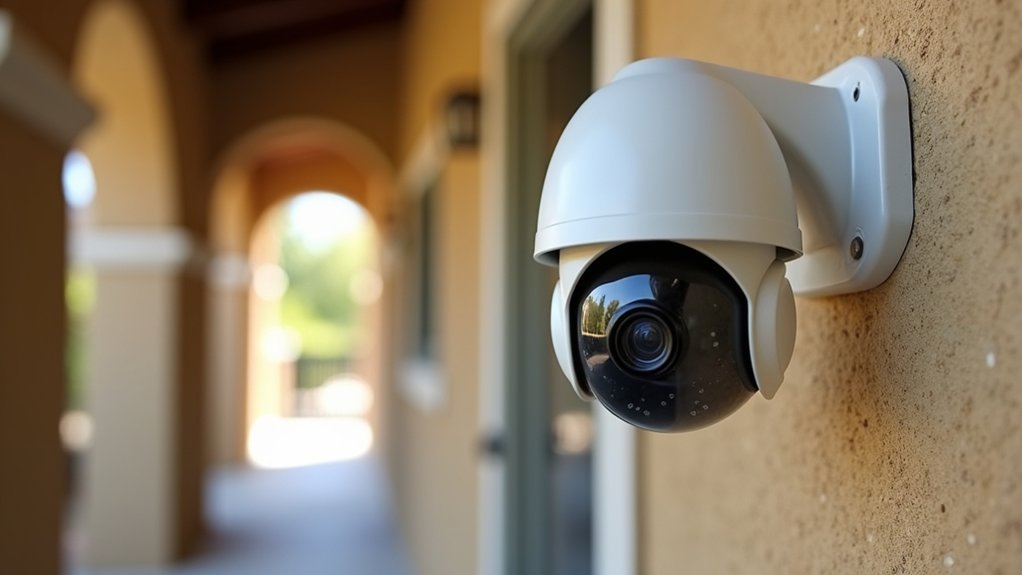
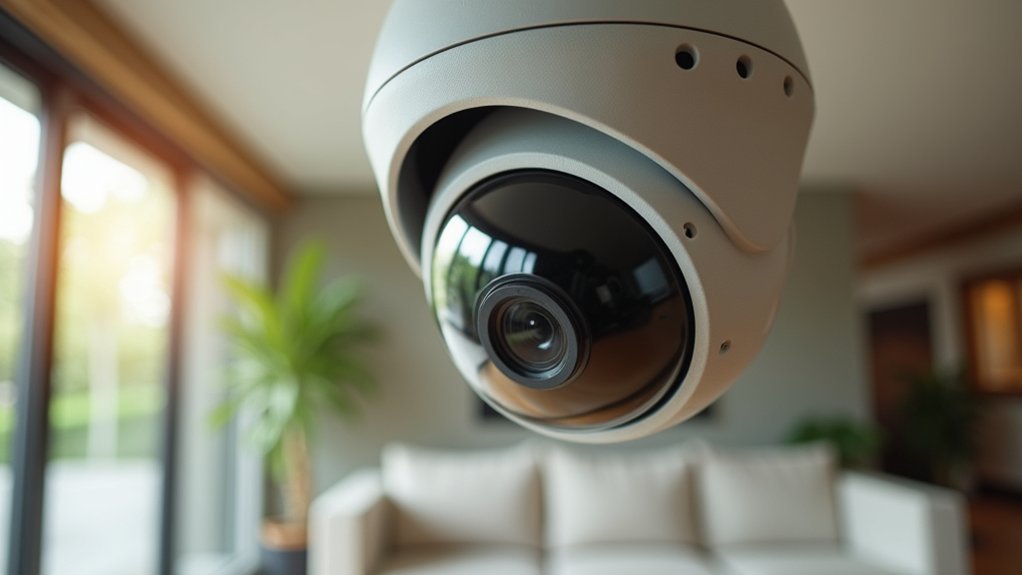
How can you tell if a security camera has a microphone just by looking at it? Start by examining the camera’s exterior for small microphone holes or grille patterns near the lens, which usually indicate built-in microphones.
Dome cameras may hide these holes along the sides or front, so inspect closely.
Next, check the camera’s specifications online or in the manual for terms like “audio recording” or “microphone” to confirm if the camera has audio capabilities.
If visual cues aren’t definitive, perform a sound test by speaking near the camera and monitoring the live feed or recorded footage for audio.
These steps provide a technical and efficient way to identify whether a security camera supports audio recording features.
How to Use Apps and Settings to Check Security Camera Audio
After visually inspecting your security camera for audio features, the next step is to check the camera’s app and settings.
Open the security camera’s app and go to the settings menu. Look specifically for audio-related options such as “microphone” or “sound settings.”
Many apps display icons that show audio functionality, so knowing the interface helps you find these quickly.
Turn on the microphone if it’s off, then do a sound test by speaking near the camera. Check the live or recorded footage to make sure audio recording is working.
Some models let you adjust microphone sensitivity or turn off audio recording for privacy. You can find these options within the app settings under audio preferences.
This way, you can be sure your camera’s audio features are properly set up and working.
Checking Camera Specs for Audio Features
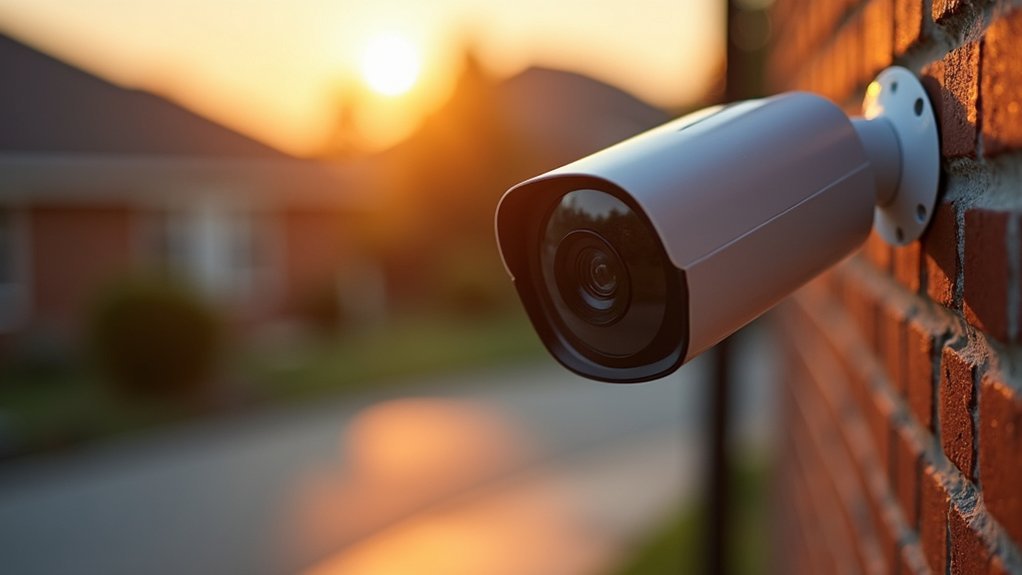
To check if your security camera supports audio, the first step is to look at the manufacturer’s specifications.
Keep an eye out for terms like “microphone” or “two-way audio.” These keywords usually mean the camera can pick up sound or even let you talk through it.
Next, take a close look at the camera itself.
You might notice tiny microphone openings near the lens—these little holes are a good sign the camera has built-in audio.
Identifying Microphone Presence
Where can you find evidence of a microphone in a security camera? Start by inspecting the camera body for small pinholes or grilles that indicate built-in microphones. Then, check the product specifications or user manual for terms like “microphone,” “audio recording,” or “two-way audio.”
You can also conduct a sound test by speaking near the camera and then reviewing the recorded footage to confirm audio functionality.
| Indicator Type | What to Look For | Confirmation Method |
|---|---|---|
| Physical Feature | Pinholes or grilles | Visual inspection |
| Documentation | Mention of microphone/audio | Product specs or manual |
| Functional Test | Sound clarity in footage | Sound test near camera |
These steps help you verify whether a security camera can record audio.
Reviewing Manufacturer Specifications
Once you identify potential microphone presence on a security camera, the next step is to examine the manufacturer’s specifications for confirmation.
Review the technical specifications carefully, looking for terms like built-in microphone or audio recording to verify audio capabilities.
Manufacturers often specify whether the camera supports one-way or two-way audio, which affects how you can communicate or monitor remotely.
Pay close attention to details about microphone sensitivity and sound range, as these factors determine audio quality and effective monitoring distance.
Moreover, consult product manuals or online resources for thorough audio feature descriptions.
If possible, inspect the camera’s design for physical microphone openings.
Finally, perform a sound test via the camera’s app to confirm the audio functionality aligns with the stated specifications.
Testing Camera Audio Recording
How can you verify if your security camera actually records audio? Start by inspecting the camera for visible microphones. Look for small holes or grilles near the lens.
Next, conduct a camera audio recording test. Speak clearly near the device and then review the live or recorded footage for sound capture.
Consult the specifications or user manual to confirm audio features. Pay attention to terms like “microphone” or “two-way audio.”
Furthermore, investigate the camera’s app or settings for audio-related icons or options indicating recording capabilities.
Note that some microphones may be built-in but not immediately obvious without close examination.
Indoor vs. Outdoor Audio Performance
Although both indoor and outdoor security cameras can record audio, their performance differs considerably due to environmental factors and design priorities. Indoor cameras typically provide superior audio performance with clearer audio capture, thanks to reduced background noise and higher quality microphones.
Outdoor cameras face challenges like wind and traffic noise, which degrade audio clarity despite noise reduction technology. Here’s a concise comparison:
| Aspect | Indoor Cameras | Outdoor Cameras |
|---|---|---|
| Audio Performance | Clear, high fidelity | Variable, affected by noise |
| Background Noise | Minimal | High (wind, traffic) |
| Audio Capture Range | 15-20 feet | Often less effective |
| Microphone Quality | Higher quality | Prioritizes durability |
| Noise Reduction Tech. | Less critical | Essential but variable |
Considering these factors helps you choose the right camera for your audio monitoring needs.
Legal Restrictions on Security Camera Audio
When you install security cameras with audio recording capabilities, you must navigate complex legal restrictions that vary by jurisdiction. Federal and state laws regulate audio surveillance, emphasizing consent and privacy concerns.
The Wiretap Act permits audio recording if at least one party consents, but some states require all-party consent, imposing stricter rules. For example, eleven states mandate two-party consent, meaning every participant must agree to the recording.
In private environments like homes, unauthorized audio capture can violate privacy laws, leading to legal consequences.
Public spaces generally have fewer restrictions, though businesses must notify individuals about any audio surveillance.
To guarantee compliance, you should thoroughly understand applicable laws and regulations governing security cameras with audio, balancing effective monitoring with legal adherence.
How Consent Laws Vary by State and Impact Audio Surveillance
You should know that consent laws for audio recording aren’t the same everywhere—they vary a lot from state to state. Some states only require one person to consent to the recording, while others need everyone involved to agree.
This makes a big difference when you’re thinking about using security cameras that can record audio, especially in private spaces.
Also, the rules can change depending on whether you’re recording in a public place or somewhere private. So, it’s really important to get familiar with the specific laws in your state.
That way, you won’t accidentally run into any legal trouble.
One-Party Consent States
Since one-party consent laws govern many states, you can legally record audio with security cameras as long as one participant in the conversation consents to the recording. In states like Texas, New York, and Illinois, these regulations permit homeowners to use audio-enabled surveillance cameras without informing all parties involved.
However, understanding one-party consent is essential to avoid legal repercussions. While the law allows such audio recording, homeowners should consider ethical implications, including notifying visitors about audio surveillance to promote transparency.
Being aware of these legal frameworks helps you maintain compliance and responsibly manage your security system.
Two-Party Consent Requirements
Although federal law permits audio recording with one-party consent, several states enforce stricter two-party consent requirements that mandate all participants agree to be recorded. This distinction impacts how you use audio-enabled security cameras, especially regarding privacy and legal compliance.
In states like California, Florida, and Massachusetts, recording conversations without two-party consent violates state laws, potentially resulting in severe penalties.
You should consider these points before deploying audio surveillance:
- Verify if your state requires two-party consent for audio recording.
- Understand that all parties must be aware and agree to audio capture.
- Recognize that violating these laws can lead to fines or imprisonment.
Being well-informed about two-party consent laws guarantees you respect privacy and maintain legal security.
Public Versus Private Recordings
When dealing with audio surveillance, understanding the distinction between public and private recordings is essential because consent laws vary considerably by state and context.
Cameras with microphones capturing public conversations typically face fewer restrictions, as there’s generally no reasonable expectation of privacy in public spaces.
However, recording private conversations, especially within homes or private properties, triggers stricter consent laws. Federal law permits one-party consent, but states like California and Florida enforce two-party consent, requiring all parties’ approval for audio surveillance.
Consequently, you must assess both federal and state regulations before using security cameras with audio features.
Failure to comply can result in legal consequences, particularly when private conversations are recorded without proper consent. This highlights the importance of distinguishing between public and private audio surveillance scenarios.
Privacy Considerations When Using Audio-Enabled Security Cameras
Because audio-enabled security cameras can capture private conversations, you need to carefully consider privacy implications before installing them.
Audio recordings implicate significant privacy considerations, governed by varying Surveillance Laws and legal regulations. You must understand consent requirements, as some states mandate all-party consent, while others allow one-party consent.
Furthermore, ethical concerns about misuse of recorded conversations demand caution.
To guarantee compliance and respect privacy, follow these steps:
- Verify local legal regulations regarding audio recording and consent.
- Inform individuals through clear signage or verbal announcements about active audio surveillance.
- Regularly review and securely delete stored audio recordings to prevent unauthorized use.
Recommended Security Cameras With Reliable Audio Recording
Choosing a security camera with dependable audio recording capabilities requires understanding the specific features that improve both sound clarity and interaction.
Cameras that include audio, like the eufyCam S4, offer dual-2K lenses with two-way audio, enhancing Audio Security through clear communication.
The Ring Indoor Cam and Arlo Pro 4 likewise provide two-way audio, allowing you to record conversations and interact directly via smartphone apps.
Ring Indoor Cam and Arlo Pro 4 enable two-way audio for seamless conversation and smartphone interaction.
The Google Nest Cam’s advanced AI recognition identifies critical sounds such as alarms or crying, adding intelligence to modern security systems.
Brands like Swann and Reolink also integrate built-in microphones, enriching audio alongside video footage.
Selecting from these proven models guarantees your modern security setup benefits from reliable audio recording and thorough coverage.
Tips for Using Audio Features Responsibly and Legally
Although audio recording improves security camera functionality, you must comply with legal requirements to avoid violations. To use audio features responsibly and legally, follow these essential tips.
First, understand local privacy laws since some states require all-party consent for recording conversations.
Second, clearly notify individuals in monitored areas by posting visible signage, ensuring transparency and compliance.
Third, restrict audio recording to public or shared spaces, avoiding private locations like bedrooms to respect privacy rights.
Furthermore, regularly review audio files to prevent retaining sensitive data longer than necessary.
Why Audio Matters in Your Security Setup
When you integrate audio recording into your security setup, you gain a richer understanding of events by capturing both sound and visuals.
Integrating audio recording enhances your security by capturing both sound and visuals for deeper insight.
Home security cameras equipped with built-in microphones not only boost security by providing context to video footage but also enable two-way communication for real-time interaction.
Advanced features like sound-triggered alerts and AI sound recognition further augment situational awareness by detecting specific noises such as alarms or glass breaking.
However, you must consider regulations regarding audio recording, especially in private areas, to guarantee legal compliance.
Being aware of these factors allows you to effectively use audio capabilities to monitor your property while respecting privacy laws.
Ultimately, this creates a more thorough and responsive security system.
Frequently Asked Questions
Can Audio Recordings Improve Emergency Response Times?
Yes, audio recordings can improve emergency response times by providing real-time context that helps you quickly understand the situation.
They enable sound-triggered alerts, so you’re notified immediately when critical sounds occur.
With two-way audio, you can communicate instantly with people on-site, offering instructions or support.
Furthermore, audio evidence augments situational awareness, allowing responders to prioritize actions more effectively and deploy resources faster during emergencies.
Do Audio-Enabled Cameras Consume More Power Than Video-Only Cameras?
Think of audio-enabled cameras as power-hungry night owls compared to video-only cameras, which are more like energy-saving early birds.
Yes, they consume more power, typically between 0.5 to 2 watts extra, because the microphones and audio processing keep running, especially during continuous recording.
To manage this, you can choose models with adjustable audio settings.
This lets you turn off sound features when you want to conserve energy without sacrificing security.
How Does Background Noise Affect Audio Recording Quality?
Background noise considerably reduces audio recording quality by masking important sounds, making speech or specific noises harder to capture clearly.
You’ll find that outdoor environments with wind or traffic worsen this effect.
While some cameras use digital noise reduction to improve clarity, effectiveness varies.
Furthermore, since audio is typically recorded at about 8kHz, finer sound details get lost, especially if the sound source is distant or overwhelmed by louder ambient noises.
Are Audio Recordings Stored Separately From Video Footage?
About 40% of security cameras store audio separately from video footage, letting you access sound without video if needed.
Depending on your camera model, audio files might be saved as distinct channels or in separate formats. This setup helps with detailed analysis and editing.
Check your device’s specs to see how it manages storage, whether it uses cloud solutions or local media.
This choice impacts retrieval speed and compression quality.
Can Pets or Environmental Sounds Trigger False Audio Alerts?
Yes, pets and environmental sounds can trigger false audio alerts on security cameras. Barking dogs, passing cars, or even loud wind can activate microphones within 15 to 20 feet.
To reduce false alerts, you should adjust your camera’s microphone sensitivity or enable AI sound recognition features if available.
These settings help the system differentiate between harmless noises and genuine security threats, improving alert accuracy.
Conclusion
When you equip your security system with audio recording, you’re not just adding a microphone. You’re giving your setup a voice that can capture critical details beyond the lens.
Think of audio as the missing puzzle piece that completes your surveillance picture. By understanding features, checking specs, and respecting privacy laws, you guarantee your system listens wisely and legally.
Harness this power carefully, and your security will speak volumes when it matters most.