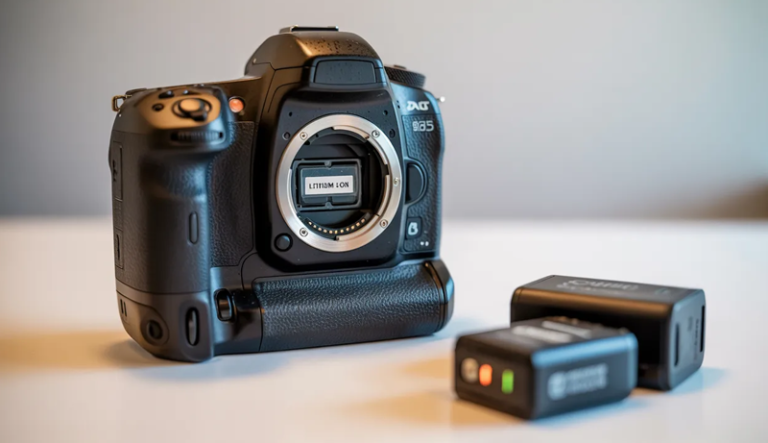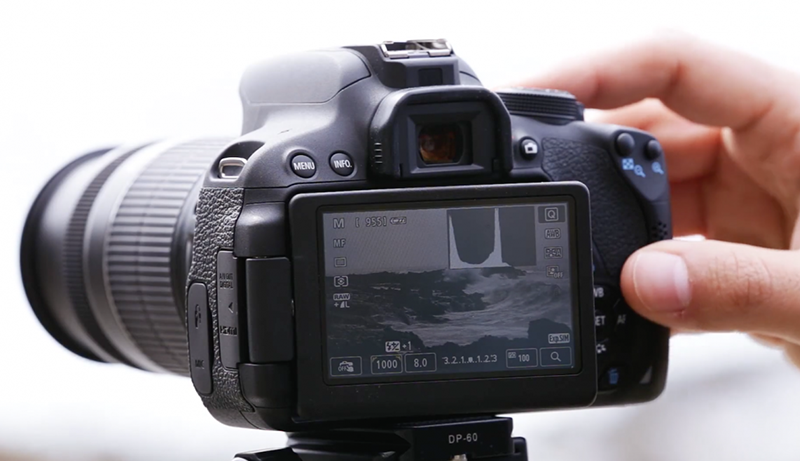
How Digital Cameras Work
Photography today feels effortless, yet every photo is the result of a precise blend of light, electronics, and software working together inside a small device. From casual snapshots to professional shoots, digital cameras quietly perform complex tasks in fractions of a second.
At the core of every shot is light entering through the lens, carefully focused and controlled by mechanical and electronic components. This light carries visual information that must be captured accurately, preserved, and transformed into a usable image without losing important details.
Understanding how digital cameras work reveals what happens after the shutter is pressed. A light-sensitive sensor replaces traditional film, converting incoming light into electrical signals. These signals are then processed, adjusted for color and brightness, and prepared for storage.
Behind the scenes, powerful image processors refine the data, reduce noise, and apply settings such as exposure and white balance. The final result is saved as a digital file that can be viewed instantly, shared easily, and edited endlessly—making modern photography both technical and accessible.
How digital cameras work?
Digital cameras capture images by transforming light into digital data through a carefully coordinated process. When a photo is taken, light first travels through the lens, which focuses it onto the camera’s image sensor. The lens elements adjust to control sharpness, depth, and perspective, while the aperture regulates how much light enters the camera at any given moment.
Once light reaches the sensor, it is captured by millions of tiny light-sensitive pixels. Each pixel measures the intensity of light hitting it and converts that information into an electrical signal. Color information is recorded through a color filter array, which allows the sensor to interpret red, green, and blue values that later form a full-color image.
The camera’s image processor then takes over. It analyzes the electrical signals, combines color data, and adjusts exposure, contrast, and white balance. Noise reduction and sharpening are also applied at this stage to improve overall image quality before the photo is finalized.
The shutter plays a crucial role in timing. It determines how long the sensor is exposed to light, directly affecting brightness and motion capture. Faster shutter speeds freeze action, while slower speeds allow more light and motion blur.
After processing, the image is saved as a digital file, such as JPEG or RAW, onto a memory card. This digital format allows instant preview, easy storage, and flexible editing.
Together, these components explain how digital cameras work, turning real-world scenes into detailed images through precise control of light, timing, and data processing.
What Is a Digital Camera?
A digital camera is an electronic device designed to capture photographs and videos by converting light into digital data. Unlike traditional film cameras, it records images using an image sensor and stores them as digital files. This allows instant preview, easy storage, editing, and sharing. Digital cameras are widely used in everyday life, professional photography, education, security, and creative industries.
How a Digital Camera Captures Images
A digital camera captures images by guiding light through a lens and directing it toward an image sensor. The lens plays a crucial role in focusing light accurately, ensuring that the subject appears sharp and properly framed. Adjustable elements inside the lens help control depth, clarity, and perspective based on shooting conditions.
Once light reaches the image sensor, it is measured by millions of tiny light-sensitive units called pixels. Each pixel records the intensity of light hitting it. Color information is captured using a filter system that separates light into red, green, and blue components, which are later combined to form a full-color image.
The sensor does not store images directly. Instead, it converts light information into electrical signals. These signals represent the brightness and color details of the scene. The accuracy of this conversion directly affects image quality, sharpness, and dynamic range.
Afterward, the camera’s internal processor interprets the signals and reconstructs them into a visible image. This entire process happens almost instantly, allowing users to view photos immediately on the camera’s display screen.
Key Components of a Digital Camera
A digital camera consists of several essential components working together to produce an image. The lens is the first point of contact, determining how light enters the camera. Different lenses affect zoom capability, field of view, and image sharpness, making them a defining factor in photographic style.
The image sensor is the heart of the camera. It replaces film and is responsible for capturing light data. Larger sensors generally collect more light, resulting in better image quality, improved low-light performance, and richer details.
Another vital component is the shutter mechanism. The shutter controls how long the sensor is exposed to light. Short exposures freeze motion, while longer exposures allow more light and can capture movement creatively.
The image processor acts as the camera’s brain. It processes raw sensor data, adjusts exposure, color balance, contrast, and reduces digital noise. Memory storage, such as SD cards, then saves the processed image files for later use.
Types and Uses of Digital Cameras
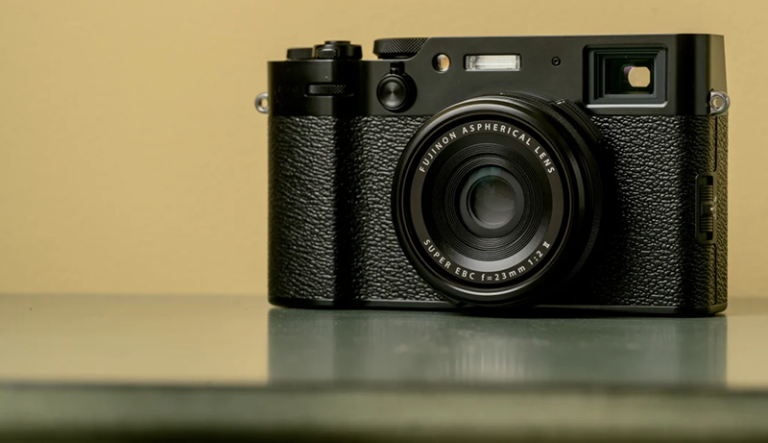
Digital cameras come in various forms to meet different needs and skill levels. Compact digital cameras are lightweight and simple, making them suitable for casual photography and travel. They combine fixed lenses with automatic settings for ease of use.
Mirrorless cameras offer interchangeable lenses and advanced features in a smaller body. They are popular among enthusiasts and professionals due to their balance of portability and high image quality. These cameras rely on electronic viewfinders instead of mirrors.
Digital single-lens reflex cameras use a mirror system to reflect light into an optical viewfinder. They are known for durability, fast performance, and extensive lens compatibility, making them widely used in professional photography.
Beyond photography, digital cameras are used in filmmaking, surveillance, scientific research, online education, and content creation. Their ability to instantly capture, store, and transmit visual information makes them an essential tool in the modern digital world.
Core Components of a Digital Camera
The performance and image quality of a digital camera depend on several internal components working together seamlessly. Each part has a specific role in capturing light, processing visual data, and storing the final image. Understanding these core components helps explain how digital cameras consistently produce sharp, detailed, and accurate photos across different shooting conditions.
Lens
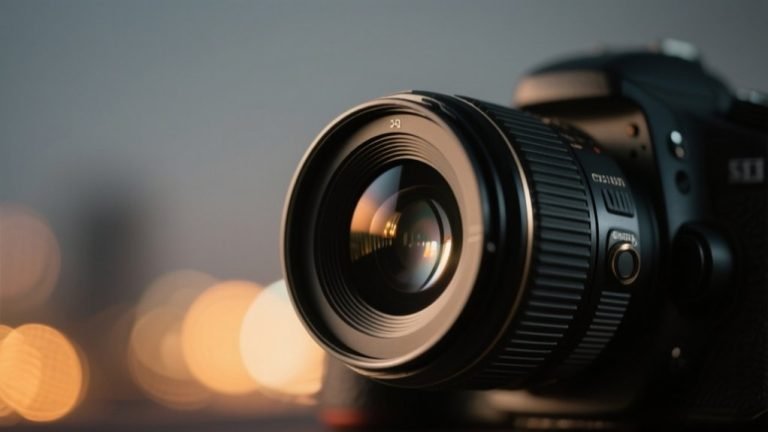
The camera lens is responsible for collecting and directing light into the camera body. It determines how a scene is framed, how sharp it appears, and how much light reaches the internal components. A well-designed lens ensures that light rays converge accurately onto the image sensor, preserving detail and minimizing distortion. Without a lens, a camera would be unable to form a clear image.
Light enters the camera through the front element of the lens and passes through multiple glass elements arranged to focus the scene. These elements work together to correct optical flaws such as chromatic aberration and blurring. As light travels through the lens, its path is shaped to ensure the subject remains sharp across the frame.
Focal length defines how wide or narrow a scene appears. Short focal lengths capture wider views, while longer focal lengths magnify distant subjects. Aperture, an adjustable opening inside the lens, controls how much light enters the camera. A wider aperture allows more light and creates background blur, while a smaller aperture increases depth of field and overall sharpness.
Image Sensor
The image sensor plays a central role in transforming light into a digital image. Positioned directly behind the lens, it captures incoming light and converts it into electrical signals. Each sensor contains millions of tiny light-sensitive pixels, and each pixel records brightness information for a specific part of the scene. This data forms the foundation of every digital photograph.
Two main sensor technologies are used in digital cameras: CCD and CMOS. CCD sensors were once known for high image quality and low noise, but they consume more power and are slower. CMOS sensors are now more common due to faster processing speeds, lower power consumption, and improved performance, making them ideal for modern cameras.
Sensor size has a major impact on image quality. Larger sensors capture more light, resulting in better low-light performance, improved dynamic range, and smoother background blur. Smaller sensors are more compact and affordable but may produce more noise in challenging lighting conditions. Sensor size also affects field of view and depth of field characteristics.
Image Processor
The image processor acts as the camera’s control center, transforming raw sensor data into a usable image. After the sensor captures light as electrical signals, the processor interprets this information and converts it into digital data. This includes mapping brightness levels, reconstructing colors, and forming a complete image that matches the captured scene.
One of the processor’s key tasks is noise reduction. Digital noise appears as grain or speckles, especially in low-light images. The processor analyzes the image data and reduces unwanted noise while attempting to preserve fine details. Color correction is also applied to ensure accurate tones and proper white balance based on lighting conditions.
The processor determines how images are saved. JPEG processing applies compression, adjusts contrast, sharpness, and color, producing smaller files ready for immediate use. RAW processing preserves uncompressed sensor data, allowing greater flexibility in editing exposure, color, and detail later. The choice between JPEG and RAW affects storage needs, workflow, and image control.
Shutter
The shutter controls how long the image sensor is exposed to light. When a photo is taken, the shutter opens to allow light to reach the sensor and then closes to end the exposure. This timing directly influences brightness and motion in the final image. Precise shutter control is essential for capturing sharp and well-exposed photographs.
Mechanical shutters use physical curtains or blades that move to expose the sensor. They are reliable and commonly used in many cameras but have moving parts that can wear out over time. Electronic shutters, on the other hand, control exposure digitally without physical movement, allowing silent shooting and faster operation.
Shutter speed refers to the length of time the shutter remains open. Fast shutter speeds freeze motion, making them ideal for sports or wildlife photography. Slow shutter speeds allow more light and can capture motion blur, useful for creative effects like light trails or flowing water. Choosing the right shutter speed balances motion control and exposure.
Memory Storage
Memory storage is where digital images and videos are saved after processing. Once the camera finalizes an image, the data is written to storage media in the form of digital files. This allows photos to be reviewed instantly, transferred to other devices, and archived for long-term use.
Most digital cameras use SD cards for storage. These cards vary in capacity, speed, and reliability. Higher-speed cards support rapid shooting and high-resolution video recording, while larger capacities allow more images to be stored without frequent replacement. Some cameras also include limited internal storage as a backup option.
File formats and compression determine how much space images occupy. JPEG files use compression to reduce file size, making them easy to store and share. RAW files retain maximum image data but require more storage space. The chosen format affects image quality, editing flexibility, and overall storage efficiency.
How Digital Cameras Capture an Image (Step-by-Step)
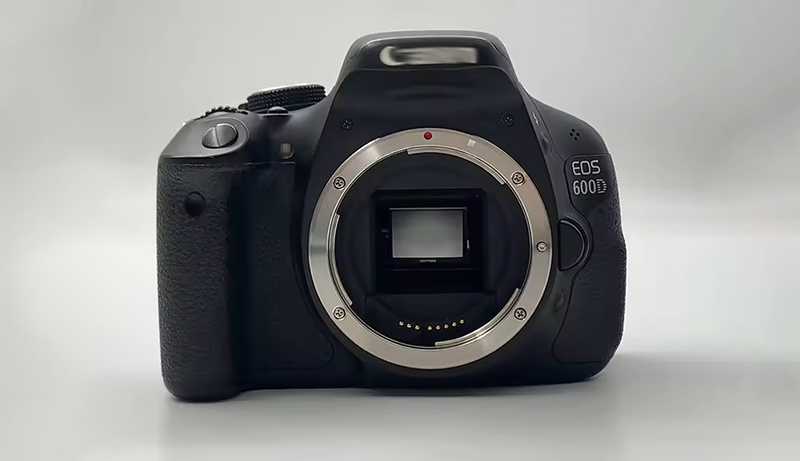
Every digital photograph is created through a precise sequence of events that happens in a fraction of a second. From the moment light reaches the camera to the instant the image is stored, multiple components work together seamlessly. Understanding this step-by-step process reveals how digital cameras transform real-world scenes into detailed, viewable images using light, timing, and advanced data processing.
Light Enters Through the Lens
The image-capturing process begins when light reflects off a subject and travels toward the camera. This reflected light enters the camera through the lens, which acts as the primary gateway between the scene and the internal components. The lens gathers light rays and bends them so they converge accurately toward the image sensor. Its optical design ensures that details remain sharp and proportions stay correct across the frame.
Inside the lens, multiple glass elements are arranged to guide and refine the incoming light. These elements help correct distortions, reduce color fringing, and maintain clarity. As light passes through, the lens determines how wide the scene appears and how close or distant subjects look. This directly affects framing and composition.
The quality of light entering the camera significantly influences image clarity. Clean, well-directed light produces sharper images with better contrast, while scattered or insufficient light can reduce detail. The lens’s ability to manage light efficiently sets the foundation for every photo, making it one of the most critical components in the image capture process.
Aperture Controls Light Amount
Once light passes through the lens, it encounters the aperture, an adjustable opening inside the lens assembly. The aperture controls how much light is allowed to reach the image sensor. By expanding or narrowing this opening, the camera regulates brightness based on the lighting conditions and the desired exposure.
A wider aperture allows more light to enter the camera, which is especially useful in low-light environments. It also creates a shallow depth of field, causing the subject to stand out sharply against a blurred background. A narrower aperture limits light intake, making it suitable for bright conditions and scenes where greater depth of field is needed.
The aperture also affects image aesthetics beyond brightness. It influences how backgrounds appear, how much of the scene stays in focus, and how light is distributed across the sensor. By carefully adjusting the aperture, the camera balances light control with creative intent. This step ensures that the sensor receives an optimal amount of light for accurate image capture.
Shutter Opens and Closes
After passing through the aperture, light reaches the shutter, which controls the duration of exposure. The shutter opens to allow light to hit the image sensor and then closes to stop the exposure. The length of time the shutter remains open is known as shutter speed, and it plays a vital role in determining brightness and motion capture.
A fast shutter speed opens and closes quickly, limiting light exposure and freezing motion. This is ideal for capturing fast-moving subjects with sharp detail. A slow shutter speed keeps the shutter open longer, allowing more light to reach the sensor and capturing motion blur when subjects move during exposure.
The shutter’s timing must be precise to ensure proper exposure. Too much exposure results in overly bright images, while too little produces dark, underexposed photos. Whether mechanical or electronic, the shutter works in perfect synchronization with the aperture and sensor. This coordination ensures that light reaches the sensor at the right intensity and for the correct duration.
Sensor Captures Light Data
When the shutter opens, light finally reaches the image sensor, where it is recorded as raw visual data. The sensor is covered with millions of tiny light-sensitive pixels, each responsible for capturing light information from a specific part of the scene. These pixels measure the intensity of light hitting them during exposure.
Color information is captured using a color filter array placed over the sensor. Each pixel records either red, green, or blue light. The sensor itself does not see color; it only detects brightness levels. The combination of these color-filtered pixels allows the camera to reconstruct full-color images later in the process.
The sensor converts the captured light into electrical signals. Brighter areas generate stronger signals, while darker areas produce weaker ones. The accuracy of this conversion affects image sharpness, dynamic range, and low-light performance. At this stage, the image exists only as raw data, waiting to be interpreted by the camera’s processor.
Processor Converts Data Into an Image
The image processor takes over once the sensor has captured the light data. Its job is to transform electrical signals into a recognizable digital image. The processor analyzes brightness and color information from millions of pixels and reconstructs them into a complete photograph.
During this step, the processor applies essential adjustments such as exposure correction, white balance, and color accuracy. It also reduces digital noise, especially in images captured in low-light conditions. Sharpening and contrast adjustments may be applied to enhance visual clarity and detail.
The processor also determines how the image will be formatted. If the camera is set to save JPEG files, the processor compresses the data and applies predefined image enhancements. If RAW format is selected, minimal processing is applied, preserving maximum image data. This stage shapes the final look and flexibility of the captured image.
Image Is Saved to Memory
After processing is complete, the final image is written to the camera’s memory storage. The processed data is saved as a digital file on a memory card or internal storage. This allows the image to be viewed instantly on the camera’s screen and accessed later for editing or sharing.
The file format chosen affects storage size and usability. JPEG files are smaller and easier to manage, while RAW files retain more detail but require more space. The camera organizes these files systematically, making it easy to browse and manage captured images.
Once saved, the image becomes a permanent digital record of the captured moment. It can be transferred to computers, shared online, or edited using software. This final step completes the journey from light entering the lens to a fully stored digital photograph.
Understanding Exposure in Digital Cameras
Exposure determines how bright or dark an image appears and plays a critical role in overall image quality. In digital cameras, exposure is controlled by managing how much light reaches the image sensor and how that light is interpreted. A proper understanding of exposure helps achieve balanced images with clear details, accurate colors, and minimal loss of information in highlights or shadows.
What Exposure Means
Exposure refers to the total amount of light that reaches the camera’s image sensor during a photograph. It directly affects the brightness of an image and influences how much detail is visible in both bright and dark areas. An image with too much exposure appears overly bright, washing out details, while insufficient exposure results in dark images with lost shadow information.
In digital cameras, exposure is measured and controlled electronically rather than chemically, as in film photography. The camera evaluates available light and determines how to capture it effectively. Proper exposure ensures that highlights are not blown out and shadows retain texture and clarity.
Exposure also affects image mood and visual impact. Bright exposures can feel airy and clean, while darker exposures can add drama and depth. Understanding exposure allows photographers to intentionally control how a scene is represented rather than relying solely on automatic camera settings.
Aperture
Aperture is the adjustable opening within the lens that controls how much light enters the camera. It is measured in f-numbers, where smaller numbers indicate a wider opening and larger numbers represent a narrower opening. A wide aperture allows more light to reach the sensor, making it useful in low-light situations.
Beyond brightness, aperture significantly affects depth of field. A wide aperture creates a shallow depth of field, keeping the subject sharp while blurring the background. A narrow aperture increases depth of field, bringing more of the scene into focus. This makes aperture a creative tool as well as an exposure control.
Adjusting aperture changes how light is distributed across the sensor. A wider aperture increases brightness quickly, while a smaller aperture restricts light and requires compensation through other exposure settings. Aperture selection must balance light intake with desired sharpness and background appearance to achieve optimal results.
Shutter Speed
Shutter speed controls how long the camera’s sensor is exposed to light. It is measured in fractions of a second or full seconds. Fast shutter speeds limit light exposure and freeze motion, making them ideal for capturing fast-moving subjects. Slow shutter speeds allow more light and can record motion blur.
The choice of shutter speed affects both exposure and image clarity. A faster shutter reduces brightness but prevents motion blur. A slower shutter increases brightness but requires steady handling or stabilization to avoid unwanted blur from camera movement.
Shutter speed also influences how motion is perceived. Freezing action creates sharp, crisp images, while slower speeds can convey movement and energy. Managing shutter speed is essential for controlling light while maintaining the desired level of motion clarity in a photograph.
ISO
ISO represents the sensitivity of the image sensor to light. Lower ISO values make the sensor less sensitive, requiring more light for proper exposure. Higher ISO values increase sensitivity, allowing images to be captured in low-light conditions without slowing the shutter speed or widening the aperture.
Increasing ISO brightens the image but introduces digital noise, which appears as grain or speckles. Lower ISO settings produce cleaner images with better detail and color accuracy. Modern cameras handle high ISO better than earlier models, but noise remains a key consideration.
ISO works as a support setting, compensating when aperture and shutter speed adjustments alone cannot achieve proper exposure. It provides flexibility but must be balanced carefully to maintain image quality while achieving the desired brightness.
How These Settings Work Together
Aperture, shutter speed, and ISO form the exposure triangle, meaning changes to one setting affect the others. Increasing aperture size lets in more light, allowing faster shutter speeds or lower ISO values. Slowing the shutter allows more light, reducing the need for higher ISO.
Balancing these settings ensures proper exposure while maintaining creative control. For example, a wide aperture may require a faster shutter to prevent overexposure. A low-light scene may need a combination of wider aperture, slower shutter speed, and higher ISO.
Understanding how these elements interact allows precise control over brightness, motion, and image quality. Mastery of exposure settings enables consistent results across varying lighting conditions and shooting scenarios.
Autofocus and Image Stabilization
Autofocus and image stabilization are two essential technologies that greatly influence the sharpness and usability of modern digital cameras. They work behind the scenes to ensure subjects remain clear and images stay steady, even in challenging shooting conditions. Together, these systems help photographers capture sharp results with less effort and greater consistency.
Autofocus is responsible for adjusting the lens so that the subject appears sharp. Modern digital cameras use advanced autofocus systems that analyze contrast, phase, or a combination of both to determine the correct focus point. These systems can quickly lock onto subjects, making them effective for portraits, action shots, and everyday photography.
Many cameras now feature continuous autofocus, which tracks moving subjects in real time. This allows the camera to maintain focus as the subject moves closer or farther away. Face and eye detection further enhance accuracy by prioritizing key areas, ensuring important details remain crisp.
Image stabilization reduces blur caused by camera shake. Even slight hand movements can affect image sharpness, especially at slower shutter speeds or longer focal lengths. Stabilization systems compensate for this movement by shifting lens elements or the image sensor itself.
Optical stabilization is built into lenses, while in-body stabilization moves the sensor to counteract motion. Some cameras combine both methods for improved results. This technology is particularly helpful in low-light conditions and when shooting handheld.
By working together, autofocus and image stabilization improve reliability and image quality. They allow photographers to focus on composition and timing rather than technical limitations, making modern cameras more versatile and user-friendly.
How Digital Cameras Record Video
Digital cameras record video by capturing a rapid sequence of still images and combining them into smooth motion footage. Instead of taking a single photo, the camera continuously gathers visual data from the image sensor, creating multiple frames every second. This process allows real-world movement to be accurately represented as video.
When video recording begins, light enters through the lens and is controlled by the aperture and shutter system. The sensor remains active, capturing frame after frame at a fixed rate, such as 24, 30, or 60 frames per second. Each frame is exposed and processed quickly to maintain consistent brightness and clarity throughout the clip.
The image sensor plays a central role in video capture. It continuously converts incoming light into electrical signals for every frame. Color information and brightness levels are recorded repeatedly, requiring the sensor to operate efficiently without overheating or slowing down.
The camera’s image processor handles a large volume of data during video recording. It processes frames in real time, applying color correction, noise reduction, and sharpening while maintaining smooth motion. The processor also compresses video data to manageable file sizes without sacrificing too much quality.
Audio recording is handled simultaneously through built-in or external microphones. The camera synchronizes sound with video frames to produce cohesive footage. Stabilization systems often remain active during recording to reduce shake.
Once processed, the video is saved as a digital file to memory storage. This allows immediate playback, editing, and sharing across multiple platforms.
Digital Camera Settings Explained
Digital cameras come with a variety of settings that allow photographers to control exposure, focus, color, and overall image quality. Understanding these settings is key to capturing professional-looking photos and videos, as they determine how the camera interprets light and processes data. Adjusting these settings gives creative control over the final image, whether shooting in bright daylight, low light, or complex scenes.
One of the most important settings is aperture, which controls how much light enters the camera and affects depth of field. A wide aperture (low f-number) lets in more light and creates a blurred background, while a narrow aperture (high f-number) keeps more of the scene in focus. Choosing the right aperture depends on the lighting conditions and desired artistic effect.
Shutter speed is another critical setting. It determines how long the sensor is exposed to light. Fast shutter speeds freeze motion, making them ideal for sports or wildlife photography, while slow shutter speeds allow more light in and can create motion blur for artistic effect. Adjusting shutter speed is essential for balancing exposure and motion.
ISO controls the sensor’s sensitivity to light. Low ISO values produce cleaner images with minimal noise, while higher ISO settings make the sensor more sensitive, allowing shooting in low-light conditions. However, increasing ISO can introduce graininess, so it must be balanced with aperture and shutter speed for proper exposure.
Many cameras also include white balance and focus modes. White balance ensures colors appear natural under different lighting, while focus modes, such as single, continuous, or manual, determine how the camera locks onto subjects. Other settings like picture styles, image stabilization, and file formats further enhance control over the final result.
By understanding and experimenting with these settings, photographers can achieve consistent results in various lighting and shooting conditions. Mastering camera settings transforms photography from relying on automatic adjustments to full creative control.
Digital Camera vs Smartphone Camera
Choosing between a digital camera and a smartphone camera depends on your photography needs, skill level, and the type of images you want to capture. While both can produce high-quality photos, there are significant differences in performance, versatility, and creative control. Understanding these differences can help you decide which device is better suited for your photography goals.
Image Quality and Sensor Size
One of the main differences between digital cameras and smartphone cameras is image quality. Digital cameras feature larger sensors that capture more light, producing sharper images with better dynamic range and lower noise, especially in low-light conditions. Larger sensors also allow for greater control over depth of field, enabling blurred backgrounds and subject isolation that are difficult to replicate on smartphones.
Smartphone cameras, in contrast, rely on small sensors and computational photography to enhance images. They often use software algorithms to improve color, reduce noise, and simulate effects like bokeh. While modern smartphones can take impressive photos, especially in well-lit environments, they struggle in low-light or high-contrast scenes compared to a dedicated digital camera.
Lens Flexibility and Zoom
Digital cameras offer interchangeable lenses or high-quality built-in optics, giving photographers the ability to choose wide-angle, telephoto, or macro lenses depending on the subject. This versatility allows for precise framing, artistic effects, and professional-level photography that smartphones cannot match. Optical zoom on digital cameras maintains image quality, whereas smartphones typically rely on digital zoom, which reduces sharpness.
Smartphones are limited to their built-in lenses, though many now feature multiple lenses to simulate wide-angle or telephoto perspectives. While this improves convenience, the optical performance is still restricted by size and design constraints. Professional photographers often prefer digital cameras for projects requiring precise framing or specialized lenses.
Manual Controls and Creative Options
Digital cameras provide full manual control over exposure, shutter speed, aperture, ISO, and focus, allowing photographers to experiment and achieve specific creative effects. These controls are essential for action photography, long-exposure shots, or artistic compositions.
Smartphones prioritize automation for convenience. While some offer manual or “pro” modes, the range of adjustments is limited compared to a digital camera. Computational enhancements often override manual settings, which can restrict creative flexibility. For serious photography, digital cameras remain the preferred choice for full control over every aspect of the image.
Portability and Convenience
Smartphones are incredibly portable and always on hand, making them ideal for casual photography, social media, or spontaneous shots. They combine photography with communication, editing, and sharing in one device. Digital cameras are bulkier and require carrying additional lenses, batteries, and accessories, but they provide superior image quality and professional capabilities.
The choice ultimately depends on whether convenience and accessibility outweigh the advantages of higher image quality, lens flexibility, and creative control that digital cameras provide.
Common Myths About How Digital Cameras Work
There are many misconceptions about how digital cameras work, often stemming from the rise of smartphone photography and automated camera features. These myths can mislead beginners into misunderstanding what affects image quality and how cameras actually capture a scene. Clarifying these misconceptions helps photographers make better choices and use their equipment more effectively.
One common myth is that more megapixels always mean better image quality. While higher megapixel counts allow for larger prints and more detail, image quality depends on sensor size, lens quality, and processing. A camera with a smaller sensor and high megapixels may produce more noise and less sharpness than a lower-megapixel camera with a larger sensor.
Another misconception is that digital cameras automatically fix all shooting mistakes. While modern cameras offer autofocus, exposure correction, and image stabilization, these tools have limits. Understanding aperture, shutter speed, and ISO is essential to capture properly exposed and sharp images. Relying solely on automatic settings can lead to inconsistent results.
Some people also believe that optical zoom is the same as digital zoom. Optical zoom uses the lens to magnify the subject without losing quality, while digital zoom simply enlarges the image digitally, often reducing sharpness. Knowing the difference is important for achieving clear, professional-looking photos.
A fourth myth is that expensive cameras always produce better photos than smartphones. While professional cameras offer superior flexibility, sensors, and lenses, a skilled photographer using a smartphone can achieve impressive results. Photography skills, composition, and lighting often matter more than the device itself.
Finally, many assume that all digital cameras are complicated to use. While professional cameras have advanced controls, most modern cameras include intuitive interfaces, automatic modes, and helpful guides. Beginners can start with basic settings and gradually explore more manual features as they gain experience.
Understanding these myths allows photographers to focus on real factors that influence image quality and creativity, rather than relying on false assumptions about digital camera capabilities.
People Also Asked
How Does A Digital Camera Turn Light Into An Image?
A digital camera captures light through its lens, which focuses it onto the image sensor. The sensor contains millions of light-sensitive pixels that measure brightness and color information. Each pixel converts incoming light into an electrical signal, representing the intensity of light it receives.
Once captured, these signals are sent to the camera’s processor, which interprets the data, reconstructs colors, adjusts exposure, and applies corrections. The processor then creates a digital image file, such as JPEG or RAW, which can be stored, viewed, or edited. This combination of sensor and processor is what allows you to see real-world scenes as detailed digital images.
What Part Of The Camera Affects Image Quality The Most?
The image sensor is the single most influential component for image quality. Its size and technology determine how much light is captured and how accurately details are recorded. Larger sensors gather more light, improving low-light performance, dynamic range, and color accuracy.
Lens quality also impacts sharpness, distortion, and clarity. A high-quality lens combined with a large sensor produces cleaner, more detailed images. While other factors like processor and settings matter, the sensor and lens together play the biggest role in producing professional-looking photos.
Do Higher Megapixels Mean Better Photos?
Not necessarily. Megapixels indicate the resolution of an image, meaning how many individual points of color the camera can capture. While higher megapixels allow for larger prints or cropping without losing detail, they don’t automatically improve image quality.
Other factors like sensor size, lens sharpness, and processing algorithms have a greater impact on clarity, dynamic range, and low-light performance. A camera with moderate megapixels and a larger sensor often produces sharper, cleaner images than a high-megapixel camera with a small sensor.
How Is RAW Different From JPEG?
RAW is an unprocessed file format that preserves all data captured by the sensor. It offers maximum flexibility in post-processing, allowing you to adjust exposure, white balance, and color without significant quality loss.
JPEG files are compressed and processed in-camera, applying settings like sharpening, noise reduction, and color correction. While JPEGs are ready to use and smaller in size, they sacrifice some image data. Photographers who want full control often prefer RAW for editing, while JPEG is ideal for quick sharing or storage efficiency.
How Long Does Image Processing Take?
Image processing happens almost instantly in modern digital cameras. After light is captured by the sensor, the processor analyzes pixel data, adjusts color, exposure, and contrast, and reduces noise before saving the image.
For standard photos, this takes a fraction of a second, allowing you to view images immediately. In continuous shooting or high-resolution RAW formats, processing may take slightly longer. Advanced cameras optimize processing speed to handle multiple frames per second while maintaining quality.
Can A Camera Capture Good Photos In Low Light?
Yes, but it depends on the sensor, lens, and settings. Larger sensors collect more light, and wide-aperture lenses allow more brightness to reach the sensor. Adjusting ISO can also make the sensor more sensitive in dark conditions.
However, increasing ISO may introduce digital noise. Combining low-light techniques like steady hands, tripods, or image stabilization ensures sharper, cleaner images. Understanding exposure and camera settings helps you capture well-lit photos even in challenging environments.
What Role Does Autofocus Play In Image Capture?
Autofocus ensures that your subject appears sharp by automatically adjusting the lens. Modern cameras use phase-detection, contrast-detection, or hybrid systems to quickly and accurately lock focus on moving or stationary subjects.
Continuous autofocus tracks motion in real time, while face and eye detection prioritize key subjects. Even in fast-paced or low-light scenarios, autofocus helps prevent blurry shots, letting you focus on composition and timing instead of manually adjusting the lens.
Final Words
Understanding the inner workings of digital cameras reveals the remarkable technology behind every photograph. From the lens that directs light to the sensor that captures details, each component plays a crucial role in transforming real-world scenes into digital images. The processor then interprets this data, applying adjustments and saving it in formats like JPEG or RAW for viewing, editing, and sharing.
By mastering settings such as aperture, shutter speed, ISO, and focus modes, you gain greater control over exposure, motion, and depth of field. Features like autofocus and image stabilization further enhance image clarity, making it easier to capture sharp and well-composed photos even in challenging conditions.
Learning how digital cameras work empowers both beginners and experienced photographers to make informed choices about equipment, settings, and techniques. With this knowledge, you can consistently create high-quality images, experiment creatively, and fully harness the potential of modern digital photography technology.