How Long Does a GoPro Battery Last
Action cameras are built for movement, moments, and memories that don’t wait. Whether you’re capturing a sunrise hike, a full day of travel, or a fast-paced sports session, battery life quickly becomes one of the most important factors shaping your experience.
Many users discover that performance isn’t just about video quality or stabilization. How long you can keep recording without interruption often determines how confident you feel taking the camera out for long adventures or spontaneous shoots.
This is where the question How Long Does a GoPro Battery Last naturally comes into focus. Battery performance can vary widely depending on settings, shooting conditions, and how the camera is used throughout the day.
Understanding battery longevity helps you plan better, avoid missed moments, and decide whether extra batteries or charging solutions are necessary. With realistic expectations, you can make the most of every recording session and focus less on power levels and more on capturing the story in front of you.
How Long Does a GoPro Battery Last?
Battery life is one of the most common concerns for action camera users, especially when recording long sessions or traveling without easy access to power. When people ask How Long Does a GoPro Battery Last, the answer depends on several real-world factors rather than a single fixed number.
On average, a fully charged GoPro battery lasts between 60 and 120 minutes of continuous recording. Lower resolutions and frame rates tend to extend battery life, while higher settings such as 4K or high frame rates drain power much faster. Features like HyperSmooth stabilization, GPS, and voice control also consume additional energy.
Environmental conditions play a significant role as well. Cold weather can noticeably reduce battery performance, sometimes cutting recording time in half. In contrast, moderate temperatures help the battery operate more efficiently and maintain consistent power output during filming.
Usage habits matter just as much as settings. Frequently turning the camera on and off, reviewing footage, or connecting to mobile apps can shorten overall battery life. Long, uninterrupted recording sessions are often more power-efficient than constant start-stop use.
Charging methods and battery health also affect longevity. Older batteries naturally hold less charge over time, while third-party batteries may not perform as consistently as original ones. Keeping batteries properly charged and stored helps maintain reliable performance.
Understanding these factors gives a clearer picture of how long a GoPro battery really lasts. With the right settings, preparation, and expectations, users can capture more footage without worrying about unexpected power loss.
Average GoPro Battery Life
When discussing Average GoPro Battery Life, it helps to start with a quick overview before diving into specific use cases. Battery performance varies based on resolution, features, and shooting style, but most users can expect consistent ranges under normal conditions.
TL;DR: A standard GoPro battery typically lasts 60 to 120 minutes on a full charge. Lighter usage and lower settings push it closer to two hours, while high-performance modes reduce overall runtime.
High-resolution recording has the biggest impact on power consumption. Shooting in 4K delivers excellent image quality but places heavy demand on the battery. Continuous recording at higher frame rates further shortens usage time, making spare batteries or external power helpful for longer sessions.
Lower resolutions are far more battery-friendly. Recording in 1080p allows the camera to run longer while still delivering sharp, usable footage. This setting is often preferred for travel, vlogging, or extended recording where battery life matters more than maximum resolution.
Special modes and shooting styles also influence average battery life. TimeWarp and advanced stabilization features use additional processing power, while photo-only usage consumes significantly less energy since the camera isn’t recording continuously.
Bullet list summary of average battery life:
- 4K video recording: ~60–70 minutes
- 1080p video: ~90–120 minutes
- TimeWarp / HyperSmooth: ~45–75 minutes
- Photo-only usage: Several hours of intermittent shooting
Understanding these averages makes it easier to choose the right settings and plan recording sessions without unexpected battery drain.
GoPro Battery Life by Model
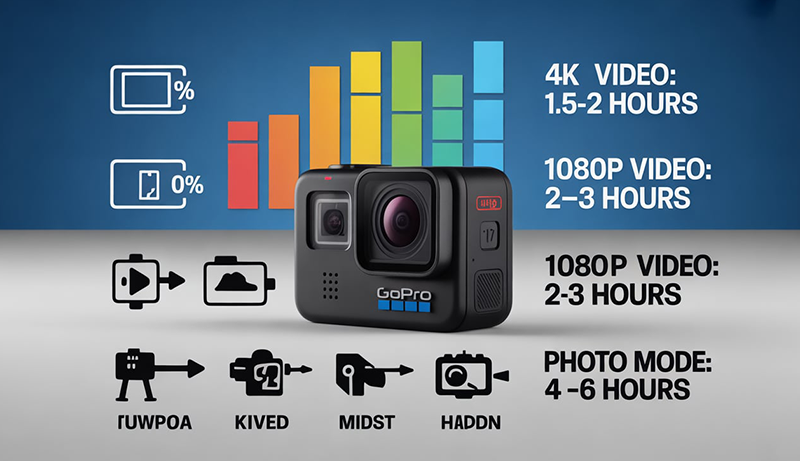
Battery performance varies significantly across different GoPro generations due to changes in processors, video resolutions, and power efficiency. Understanding model-specific battery life helps set realistic expectations, especially when shooting at higher resolutions or frame rates. Newer cameras prioritize performance and stabilization, while older models balance capability with simpler power demands. This breakdown highlights how battery life differs between recent flagship models and earlier GoPro generations in real-world use.
GoPro HERO12 / HERO11 Battery Life
The HERO12 and HERO11 represent the most advanced generation of action cameras from GoPro, and their battery performance reflects that balance between power and efficiency. Both models commonly use the Enduro battery, which is designed to deliver longer runtimes and improved performance in cold conditions compared to standard batteries.
At 5.3K @ 60fps, average runtime typically falls between 65 and 75 minutes. This mode pushes the camera’s processor, sensor, and stabilization systems to their limits, making it one of the most demanding recording options available. Continuous shooting at this resolution drains power quickly, especially when HyperSmooth and high bitrate settings are enabled.
Recording at 4K @ 30fps offers a noticeable improvement in battery longevity. In this mode, users often achieve 90 to 120 minutes of continuous recording under moderate temperatures. This setting strikes a balance between visual quality and efficiency, making it popular for extended travel shoots and daily use.
The Enduro battery plays a major role in these runtimes. Compared to older blue-tipped batteries, Enduro batteries deliver more stable voltage, faster charging, and improved cold-weather reliability. In temperatures near freezing, HERO12 and HERO11 cameras maintain more consistent performance, while older batteries may experience sudden drops or shutdowns.
Real-world usage also affects battery life. Features such as GPS, Wi-Fi connections, voice control, and frequent screen use reduce total runtime. Long, uninterrupted recording sessions tend to be more power-efficient than short clips with frequent camera wake-ups.
Older GoPro Models (HERO10, HERO9, HERO8)
Older GoPro models such as the HERO10, HERO9, and HERO8 offer respectable battery life, though they reflect the technology limitations of their time. These cameras typically rely on earlier battery designs and less efficient processors, which affects both runtime and thermal performance.
The HERO10 delivers average runtimes of 70 to 90 minutes at 4K recording, depending on frame rate and stabilization settings. While it supports high-performance modes, extended use at higher resolutions causes faster battery drain compared to newer models with Enduro support.
The HERO9, known for introducing a larger battery size, offers similar or slightly better endurance in moderate settings. At 4K @ 30fps, users can expect around 85 to 100 minutes of recording. However, colder environments often reduce this significantly due to older battery chemistry.
The HERO8 is more power-efficient in lower-resolution modes but lacks the advanced stabilization and processing features of later models. Typical recording times range from 75 to 95 minutes at 1080p or moderate 4K settings, making it suitable for casual use rather than intensive shooting.
Below is a comparison table idea highlighting general differences across models:
- Runtime: HERO12/HERO11 > HERO9 ≈ HERO10 > HERO8
- Battery size: HERO9 introduced larger capacity batteries
- Efficiency: Newer models with Enduro batteries outperform older models, especially in cold conditions
While older models remain usable, battery management becomes more critical when using advanced settings or filming for extended periods without access to charging options.
What Affects GoPro Battery Life?
GoPro battery life is influenced by a combination of technical settings and environmental conditions rather than a single factor. The way the camera processes video, manages wireless connections, and responds to temperature all play a role in how quickly power is consumed. Understanding these variables helps explain why battery performance can vary so widely between different recording sessions.
Video Resolution & Frame Rate
Video resolution and frame rate have the greatest impact on how quickly a GoPro battery drains. Higher resolutions require the camera’s processor and sensor to work harder, which increases power consumption. Recording in 5.3K delivers maximum detail but demands significantly more energy than 4K or 1080p, making it one of the fastest ways to drain a battery.
When comparing 5.3K vs 4K vs 1080p, the difference in battery usage is noticeable. 5.3K recording typically shortens runtime by a wide margin, while 4K offers a balance between image quality and efficiency. 1080p is the most battery-friendly option, allowing longer recording sessions with minimal strain on the camera’s internal components.
Frame rate further amplifies this effect. Shooting at 60fps or higher means the camera captures and processes more frames every second, increasing processor load and heat generation. This results in faster battery drain compared to recording at 24fps or 30fps, which are more power-efficient and stable over long durations.
High frame rates are often used for slow-motion footage or fast-moving action, but they come at the cost of reduced runtime. Combining high resolution with high frame rates places maximum stress on the battery, making shorter sessions unavoidable without external power or spare batteries.
Lowering resolution or frame rate is one of the most effective ways to extend battery life. Even small adjustments, such as switching from 60fps to 30fps, can result in noticeably longer recording times during extended shoots.
Stabilization & Features
Advanced features are another major contributor to battery consumption. HyperSmooth stabilization, while highly effective, relies on constant real-time processing to smooth out footage. This continuous calculation increases CPU usage, which directly impacts battery life during video recording.
GPS functionality adds another layer of power usage. When enabled, the camera constantly tracks location data to embed speed, distance, and route information into footage. Although useful for activities like cycling or motorsports, GPS can reduce overall battery life when left on for long sessions.
Voice control also consumes energy, even when not actively used. The camera remains in a listening state, waiting for voice commands, which draws additional power over time. While convenient for hands-free operation, it contributes to faster battery drain during extended use.
Wireless connections such as Wi-Fi and Bluetooth are among the most overlooked battery drains. Maintaining a connection to a smartphone or remote requires constant background communication. Live previews, media transfers, and app syncing can significantly shorten runtime, especially if the connection remains active while recording.
Using multiple features simultaneously compounds their impact. Recording high-resolution video with HyperSmooth enabled, GPS active, and Wi-Fi connected can reduce battery life far more than users expect. Disabling unused features when they are not needed is one of the simplest ways to preserve power.
Temperature & Environment
Environmental conditions, especially temperature, have a strong influence on battery performance. Cold weather reduces the chemical efficiency of lithium-ion batteries, leading to shorter runtimes and sudden drops in charge levels. In freezing conditions, a fully charged battery may appear to drain rapidly or cause the camera to shut down unexpectedly.
Cold environments are particularly challenging during outdoor activities such as skiing, hiking, or winter travel. Batteries lose their ability to deliver stable voltage, which affects recording reliability. Keeping spare batteries warm in a pocket or insulated case helps maintain usable charge when swapping them into the camera.
Hot environments introduce a different set of challenges. Extended recording at high resolutions generates heat, and when combined with warm ambient temperatures, the camera may reach thermal limits. This can lead to overheating shutdowns, which stop recording to protect internal components and battery health.
Overheating does not necessarily mean the battery is empty, but it interrupts usage and shortens effective recording time. High frame rates, strong stabilization, and direct sunlight all increase internal temperature, accelerating heat buildup during long clips.
Managing temperature exposure improves battery consistency. Avoiding prolonged direct sunlight, allowing airflow around the camera, and reducing high-performance settings during long recordings help prevent overheating and stabilize battery performance across different environments.
How Long Does a GoPro Battery Last While Recording?
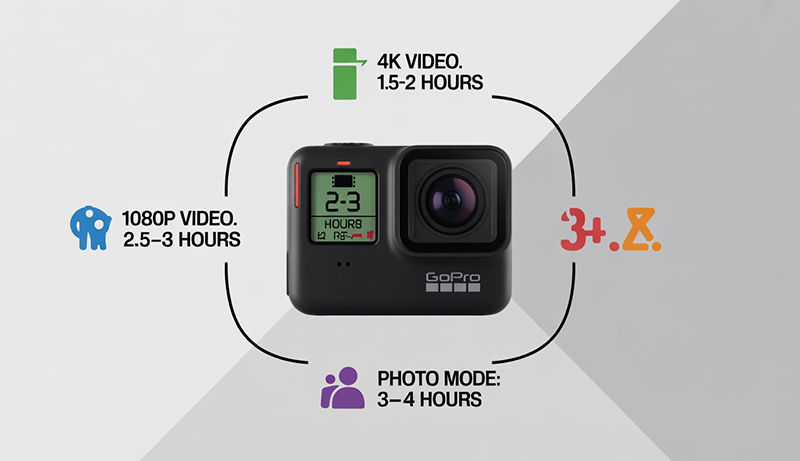
When people ask How Long Does a GoPro Battery Last While Recording, they are usually thinking about continuous, real-world usage rather than standby time. During active recording, battery drain happens much faster because the camera is constantly powering the sensor, processor, screen, and stabilization systems at the same time.
On average, a GoPro records for 60 to 120 minutes on a full charge when filming continuously. The exact duration depends heavily on resolution, frame rate, and enabled features. High-performance modes shorten recording time, while moderate settings allow longer, more stable sessions.
Recording in higher resolutions such as 4K or above places significant strain on the battery. Adding higher frame rates further increases power consumption, often reducing runtime closer to the lower end of the range. In contrast, 1080p recording at standard frame rates is far more efficient and extends usable recording time.
Stabilization and background features also affect battery life while recording. HyperSmooth, GPS tracking, and wireless connections all operate continuously during filming, drawing additional power and shortening overall runtime when left enabled.
Environmental conditions play an important role as well. Cold temperatures reduce battery efficiency, while heat buildup during long recordings can trigger automatic shutdowns before the battery is fully depleted.
Real-world recording time also depends on how the camera is used. Long, uninterrupted clips tend to be more efficient than frequent start-stop recording, which repeatedly powers internal systems and drains the battery faster.
GoPro Battery Life for Different Activities
GoPro battery life changes noticeably depending on how the camera is used in real-world situations. Different activities place different demands on resolution, stabilization, recording length, and environmental conditions. Understanding how battery performance varies by activity helps users plan power management more effectively and avoid unexpected shutdowns during important moments.
Vlogging & Daily Content Creation
Vlogging is one of the most common uses for cameras from GoPro, and it places moderate but consistent demands on battery life. Most vloggers record in short clips rather than long continuous sessions, which can impact power usage differently than uninterrupted recording. Turning the camera on and off frequently activates the screen and internal systems repeatedly, increasing overall battery drain.
Resolution choices play a key role in vlogging battery life. Many creators film in 4K at standard frame rates to maintain image quality while avoiding excessive power consumption. Using 1080p can significantly extend recording time, especially for long talking segments or indoor setups where ultra-high resolution is less critical.
Front and rear screens also affect battery usage. Keeping the front-facing screen active for framing consumes additional power over time. Screen brightness, especially when filming outdoors, further increases drain during extended shoots.
Wireless connections are another factor. Vloggers often connect their camera to a smartphone for monitoring or quick uploads. Continuous Wi-Fi or Bluetooth connections reduce battery life faster than standalone recording. Over the course of a typical vlogging day, users can expect between 60 and 90 minutes of active recording time without recharging, depending on settings and usage habits.
Action Sports & High-Intensity Recording
Action sports place the highest strain on GoPro batteries due to demanding settings and environmental exposure. Activities such as mountain biking, surfing, skiing, or motorsports often require high frame rates and advanced stabilization to capture smooth footage. These features significantly increase processor workload and battery consumption.
Recording fast-moving action typically involves 4K or higher resolutions at 60fps or more. Combining high resolution with HyperSmooth stabilization creates one of the most power-intensive recording scenarios. In these conditions, battery life often falls closer to the lower end of the average range, sometimes around 45 to 70 minutes of continuous use.
Environmental factors amplify battery challenges during action sports. Cold weather, common in skiing or snowboarding, reduces battery efficiency and can cause sudden drops in charge levels. Wind exposure and vibration also contribute to heat loss, affecting battery stability.
Mounting positions matter as well. Helmet or chest-mounted cameras receive less airflow control and are more exposed to temperature extremes. Because action sports sessions often last longer than a single battery charge, carrying spare batteries or using external power solutions becomes essential for uninterrupted recording.
Travel & Adventure Filming
Travel and adventure filming usually involves a mix of short clips, scenic shots, and occasional long recordings. This variety creates more balanced battery usage compared to constant high-performance recording. Travelers often switch between video and photo modes, which helps conserve power over the course of a day.
Resolution choices during travel tend to prioritize flexibility. Many users film in 4K at lower frame rates to maintain quality while extending battery life. Scenic footage, walking shots, and handheld clips generally do not require high frame rates, making them less demanding on the battery.
Environmental conditions vary widely during travel. Hot climates can increase the risk of overheating during long recordings, while cold destinations reduce battery efficiency. Direct sunlight, especially when filming outdoors for extended periods, raises internal temperatures and may shorten effective recording time.
Another factor is charging access. Travel filming often includes breaks where batteries can be recharged using power banks, vehicles, or wall outlets. With moderate settings and intermittent recording, a single battery can last several hours of casual shooting spread throughout the day rather than continuous runtime.
Time-Lapse, Hyperlapse & Long Sessions
Time-lapse and hyperlapse modes create unique battery demands that differ from standard video recording. While these modes may seem lightweight due to intermittent frame capture, they often keep the camera active for extended periods, which steadily drains the battery over time.
Time-lapse recording typically consumes less power per frame than video, but long capture durations add up. Recording a sunset, city traffic, or cloud movement for hours requires sustained power availability. Battery life in these scenarios depends more on total capture duration than resolution alone.
Hyperlapse and TimeWarp modes introduce additional processing demands. Stabilization and motion tracking require constant calculations, increasing battery usage compared to basic time-lapse photography. Depending on settings, these modes can drain a battery in a similar timeframe to standard video recording.
Environmental exposure plays a role here as well. Long stationary recordings in direct sunlight increase heat buildup, while overnight time-lapses in cold conditions reduce battery efficiency. For extended sessions, external power sources or multiple batteries are often necessary to complete captures without interruption.
How to Make Your GoPro Battery Last Longer
Extending GoPro battery life is less about one single trick and more about combining smart settings, charging habits, and the right accessories. Small adjustments can significantly increase recording time, especially during long shoots or travel days. Understanding how your camera uses power allows you to stretch each battery further without sacrificing usability.
Best Settings to Save Battery
Camera settings have the biggest impact on how quickly your GoPro drains power. One of the most effective changes is lowering video resolution and frame rate. Shooting in 5.3K or 4K at high frame rates pushes the processor to its limits, while switching to 4K at 30fps or even 1080p dramatically reduces power consumption. For most everyday footage, the visual difference is minimal, but the battery savings are substantial.
Turning off unused features also makes a noticeable difference. HyperSmooth stabilization is excellent, but it constantly processes motion data, which increases battery drain. If you are filming stationary shots or using a tripod, disabling stabilization can extend runtime. GPS is another hidden drain, as it continuously tracks location even when not needed for overlays.
Wireless connections should be managed carefully. Leaving Wi-Fi or Bluetooth enabled while recording keeps the camera in constant communication with other devices. If you are not actively using the mobile app or remote control, turning these off helps preserve battery life.
Screen usage is another factor. Reducing screen brightness and shortening screen timeout limits unnecessary power draw. Combined, these setting adjustments can extend recording time by 20–40 percent depending on usage.
Power & Charging Tips
Good power management habits are just as important as camera settings. One of the simplest solutions is to carry spare batteries, especially for long outings or high-performance recording. Swapping batteries is faster and more reliable than waiting for a recharge when you are actively filming.
Power banks are extremely useful for travel and outdoor activities. Compact, high-capacity power banks allow you to recharge batteries during breaks, in vehicles, or between shooting sessions. This is especially helpful when access to wall outlets is limited.
Using external power while recording is another effective option for stationary or extended shoots. Connecting your camera to a power bank or wall charger allows continuous recording without relying solely on the internal battery. This method works well for interviews, time-lapses, and long scenic captures.
Charging strategy also matters. Avoid letting batteries drain completely before recharging, as partial charges are healthier for long-term battery performance. Keeping batteries topped up whenever possible ensures you always have usable power available.
Accessories That Help
The right accessories can significantly improve battery performance and convenience. Enduro batteries are one of the most impactful upgrades, offering better efficiency and improved performance in cold conditions compared to older standard batteries. They maintain stable power output longer, especially during high-resolution recording.
A dual battery charger is another valuable accessory. It allows you to charge two batteries simultaneously, saving time and ensuring multiple batteries are ready when needed. Some chargers also display charge levels, making it easier to manage power at a glance.
Battery grips and extended battery handles provide additional runtime while improving handling. These accessories are especially useful for vlogging, handheld shooting, and long walk-and-talk recordings. They reduce the need for frequent battery swaps and add convenience during active use.
Using official or high-quality third-party accessories designed for cameras from GoPro ensures compatibility and consistent performance. When combined with smart settings and good charging habits, these accessories help maximize battery life across a wide range of shooting scenarios.
How Long Does It Take to Charge a GoPro Battery?
Charging time is an important consideration when planning how to use your action camera throughout the day. When people ask How Long Does It Take to Charge a GoPro Battery?, the answer depends on the charging method, power source, and whether the battery is inside the camera or placed in a charger.
On average, a GoPro battery takes about 1.5 to 2.5 hours to fully charge from empty. Charging through a wall adapter with adequate power is usually the fastest option and provides the most consistent results.
Charging speed slows when using lower-output sources. USB ports on laptops, vehicles, or older adapters typically deliver less power, extending charging time closer to the upper end of the range. Charging while the camera is powered on also increases the total time required.
Using a dedicated external charger often improves efficiency. Dual battery chargers allow batteries to charge more evenly and reduce downtime, especially when managing multiple batteries during travel or long shoots.
Battery type also matters. Newer Enduro batteries tend to charge slightly faster and hold charge more efficiently than older standard batteries. Over time, older batteries may take longer to reach full capacity due to natural wear.
Environmental conditions can affect charging as well. Extremely hot or cold temperatures slow charging and may temporarily limit capacity. For best results, charging batteries at room temperature ensures faster, safer, and more reliable power recovery.
Frequently Asked Questions (FAQ)
How Long Does A GoPro Battery Last On Average?
On average, you can expect a GoPro battery to last 60 to 120 minutes during active recording. The exact duration depends on how you use the camera. High-resolution video, advanced stabilization, and wireless features reduce battery life, while lower settings extend it. In real-world use, most people fall closer to 70–90 minutes per battery.
Does Video Resolution Affect How Long A GoPro Battery Lasts?
Yes, video resolution has a major impact on battery life. Recording in 5.3K or 4K uses significantly more power than 1080p. If you choose higher frame rates as well, battery drain increases even faster. When you lower resolution and frame rate, you allow the battery to last noticeably longer during recording sessions.
How Long Does A GoPro Battery Last While Recording 4K Video?
When recording in 4K, you can typically expect 60 to 90 minutes of continuous runtime. Higher frame rates and features like HyperSmooth push the battery toward the lower end of that range. If you record at 4K with moderate settings and minimal background features, battery performance improves.
Does Cold Weather Reduce GoPro Battery Life?
Cold temperatures significantly reduce GoPro battery life. In cold environments, lithium-ion batteries lose efficiency, causing faster drain and sudden shutdowns. If you are filming outdoors in winter conditions, keeping spare batteries warm and using newer battery types helps maintain usable runtime.
Can You Extend GoPro Battery Life During Recording?
You can extend battery life by adjusting settings and usage habits. Lowering resolution, reducing frame rate, turning off GPS, and disabling Wi-Fi or Bluetooth when not needed all help conserve power. Long continuous recordings are often more efficient than frequent start-stop use, which drains power faster.
How Many Batteries Do You Need For A Full Day Of Shooting?
For a full day of filming, most people need two to four batteries, depending on recording intensity. Casual travel or intermittent shooting may require fewer batteries, while action sports or high-resolution recording demand more. Carrying spare batteries or using power banks ensures you never miss important moments.
Final Verdict
Battery life plays a major role in how effectively you can use an action camera during real-world filming. From recording settings and enabled features to temperature and activity type, many factors influence how long a single charge will last. Understanding these variables helps you plan better and avoid unexpected power loss.
Knowing How Long Does a GoPro Battery Last allows you to choose the right settings, carry the right accessories, and prepare for different shooting conditions. Small adjustments, such as lowering resolution or disabling unused features, can significantly extend usable recording time without sacrificing quality.
With realistic expectations and proper power management, you can capture more moments with confidence. Whether you are filming travel adventures, daily content, or high-intensity action, being aware of battery performance ensures you stay focused on storytelling rather than worrying about running out of power.