What Camera Features Does the Nintendo Switch Have?
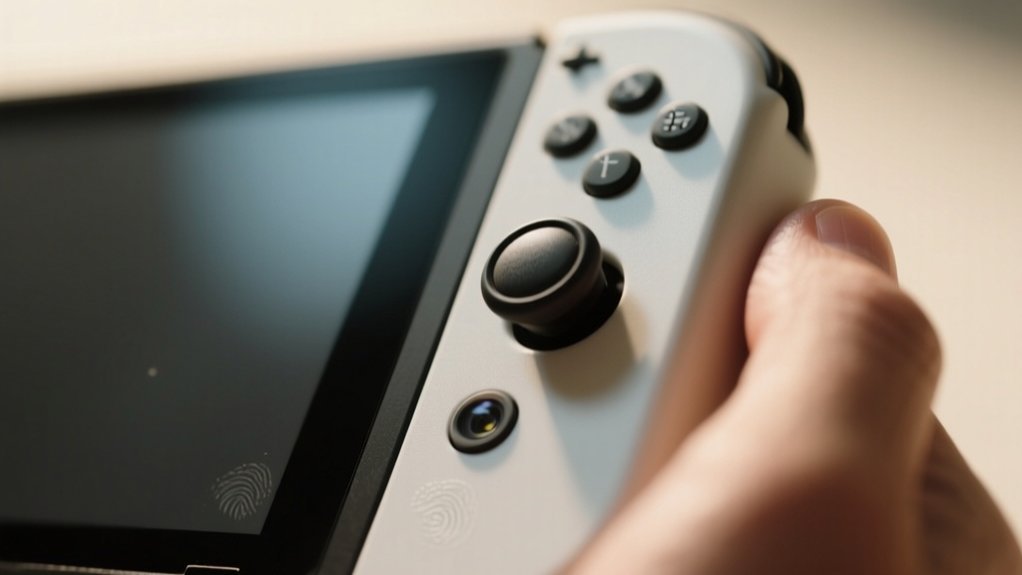
You’ll find the Nintendo Switch has a single infrared camera in the right Joy-Con that detects heat and motion, enhancing gameplay with features like facial and mouth movement tracking.
The newer Nintendo Switch 2 adds a wide-angle lens, high-sensitivity sensor, and adjustable angles for group photos and improved video chat. Its camera even personalizes gaming experiences and fitness tracking.
If you’re curious about camera setup, compatible devices, or game integration, there’s much more to investigate.
Key Takeaways
- The Nintendo Switch has a single infrared camera on the right Joy-Con for detecting heat and movement, not capturing full-color images.
- It enables unique gameplay features like facial tracking, mouth movement detection, and pulse monitoring in specific games.
- The camera enhances interactive experiences in games such as “One Two Switch” and “Ring Fit Adventure.”
- It supports video chat and security features through compatible eShop apps.
- The camera expands player interaction beyond traditional button controls for immersive gameplay.
Nintendo Switch Camera Basics and Location
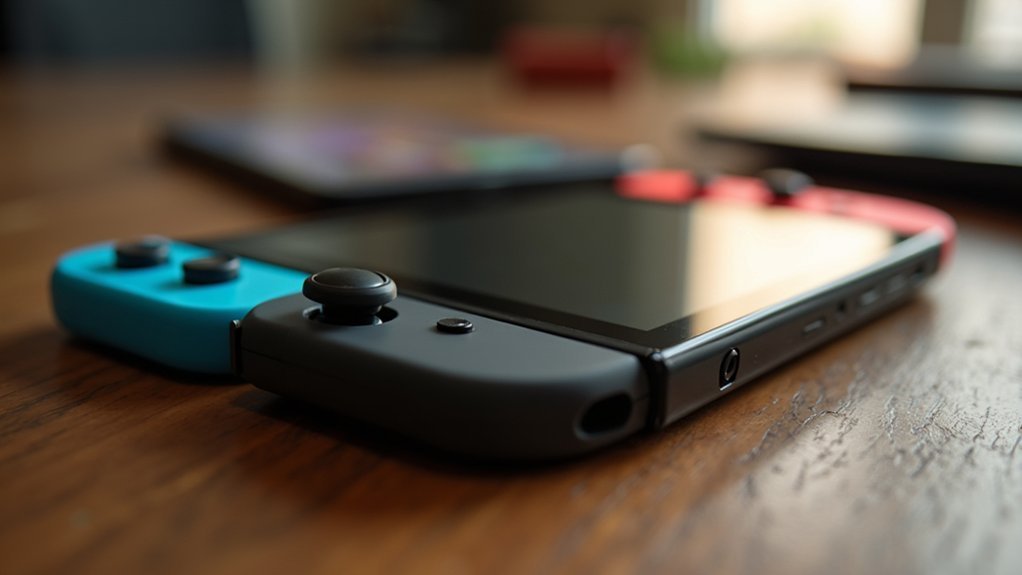
The Nintendo Switch comes equipped with a single infrared camera, cleverly positioned at the bottom of the right Joy-Con, identifiable by its distinctive shiny black rectangular design. This infrared camera plays an essential role in the console’s unique gameplay mechanics by capturing subtle player interactions.
Unlike traditional cameras, it detects heat signatures and movements rather than full-color images, enabling innovative user experiences. Its strategic placement guarantees it can track player gestures and facial movements without obstructing gameplay or comfort.
You’ll find this camera integrated into games like “One Two Switch,” where it counts how many sandwiches you eat, and “Ring Fit Adventure,” where it monitors your pulse.
This infrared camera’s design and location make it a versatile tool, expanding how you interact with the Nintendo Switch beyond standard controls.
How the Nintendo Switch Infrared Camera Enhances Gameplay
Although you might not immediately notice it, the infrared camera embedded in the right Joy-Con greatly transforms how you interact with your Nintendo Switch. This small sensor enables facial tracking and interactive mechanics, enriching gameplay experiences.
For example, in “One Two Switch,” it tracks your mouth movements for unique minigames, while in “Ring Fit Adventure,” it monitors your pulse to tailor fitness challenges. Beyond gaming, some eShop apps use the infrared camera for security, showcasing its versatility.
This technology pushes developers to innovate, creating more immersive and engaging gameplay.
| Feature | Application |
|---|---|
| Infrared Camera | Right Joy-Con bottom |
| Facial Tracking | Tracks mouth movements in games |
| Interactive Mechanics | Pulse monitoring in fitness |
| Gameplay Experiences | Unique minigames and challenges |
| Security | Used in select eShop apps |
Best Nintendo Switch Games Using the Camera
You’ll find that the best Nintendo Switch games using the camera really mix interactive gameplay with fitness tracking features to create some pretty immersive experiences.
For example, One Two Switch uses facial recognition and motion tracking to get players involved in fun party settings.
Then there’s Ring Fit Adventure, which takes it a step further by integrating pulse monitoring to personalize your workouts.
It’s pretty cool how these games show off camera technology to boost both social fun and fitness on the Switch.
Interactive Gameplay Mechanics
When exploring the Nintendo Switch’s camera capabilities, you’ll find that interactive gameplay mechanics truly come to life in titles like “One Two Switch” and “Ring Fit Adventure.”
These games utilize the infrared camera to track subtle player movements, such as mouth gestures and heart rate, creating a dynamic connection between your physical actions and in-game responses.
This integration of camera features boosts the immersive experience, making gameplay more engaging.
Key aspects include:
- Facial tracking in “One Two Switch” improves player interaction through mouth movement recognition.
- “Ring Fit Adventure” monitors your pulse and movement to tailor challenges dynamically.
- Various eShop games utilize the camera for innovative mechanics that promote physical interaction.
These features highlight how the Nintendo Switch fosters interactive gameplay beyond traditional controls.
Fitness Tracking Features
Because the Nintendo Switch’s infrared camera can accurately detect your movements and pulse, fitness games like “Ring Fit Adventure” offer an innovative way to combine physical exercise with interactive gameplay.
The infrared camera, embedded in the right Joy-Con, enables precise fitness tracking by monitoring your player movements in real time. This technology allows the game to assess your form and effort, providing immediate feedback that helps improve your workout effectiveness.
By integrating these capabilities, the Switch creates an immersive workout experience that motivates you to stay active. The camera’s responsiveness transforms traditional gaming into a dynamic fitness tool, encouraging consistent physical activity while tracking your progress seamlessly.
This represents a significant leap in using gaming hardware for health-focused applications.
Party Game Integration
Although the Nintendo Switch’s infrared camera was initially designed for fitness tracking, it has found a dynamic role in party games by enhancing player interaction and engagement. This sensor can track player movements and facial expressions, adding depth to party game mechanics and creating a more immersive interactive experience.
Here are three standout uses:
- One Two Switch utilizes the infrared camera to track your facial and hand movements, turning simple gestures into fun challenges.
- Ring Fit Adventure uses the camera to monitor your pulse and movements, transforming fitness into competitive party gameplay.
- Some games recognize mouth movements, injecting humor and social interaction into multiplayer sessions.
Nintendo Switch 2 Camera Features and Video Chat
You’ll love the Nintendo Switch 2 camera’s versatile USB-C connectivity—it works smoothly whether you’re playing on your TV, tabletop, or in handheld mode.
Plus, the multi-user video chat feature lets up to four players chat at the same time, making cooperative gameplay even more fun.
This combo really amps up social interaction and keeps your gaming experience connected and lively.
Versatile USB-C Connectivity
When you connect the Nintendo Switch 2 Camera via its versatile USB-C port, you gain access to seamless integration with the console that boosts both video chat and gaming experiences.
This versatile USB-C connectivity guarantees easy, stable attachment across all usage modes: TV, tabletop, and handheld, offering you flexibility in setup.
The camera’s high-sensitivity image sensor automatically adjusts brightness, maintaining clear visibility during your video chats. Its wide-angle lens captures more of your environment, perfect for group interactions.
Key benefits include:
- Effortless plug-and-play connection via USB-C for quick setup
- Improved video chat quality through adaptive sensor technology
- Broad field of view supporting social gaming with multiple players
This connectivity raises your interactive gaming and communication on the Switch 2.
Multi-User Video Chat
Building on the seamless USB-C connectivity and adaptive sensor technology, the Nintendo Switch 2 Camera improves social interaction through its multi-user video chat capability. This USB-C camera supports up to four participants simultaneously, integrating the GameChat feature to boost real-time visual interaction.
Its wide-angle lens captures broad scenes, perfect for group play, while the high-sensitivity image sensor maintains clear video quality by adjusting to lighting conditions automatically. Whether in TV, tabletop, or handheld mode, you can engage in lively conversations without interrupting gameplay.
| Feature | Benefit | Impact on Experience |
|---|---|---|
| Multi-user video chat | Supports 4 participants | Boosts social gaming |
| Wide-angle lens | Captures large groups | Promotes inclusive visuals |
| High-sensitivity sensor | Adjusts brightness dynamically | Guarantees clear video quality |
Taking Group Photos With Nintendo Switch 2 Camera
Anyone looking to capture memorable group moments will find the Nintendo Switch 2 Camera exceptionally well-suited for the task. This USB-C camera features a wide-angle lens that captures large groups effortlessly, whether you’re indoors or outdoors. Its high-sensitivity image sensor adjusts brightness automatically, ensuring everyone’s face is well-lit for clear photos.
Here’s why the Nintendo Switch 2 Camera excels at group shots:
- Adjustable placement and angle let you frame shots perfectly for varying group sizes and environments.
- Compact and lightweight design makes it easy to carry and set up quickly for spontaneous moments.
- Compatibility with TV, tabletop, and handheld modes offers versatile shooting options to fit any scenario.
With these features, the Nintendo Switch 2 Camera guarantees high-quality group photos every time.
Using CameraPlay to Add Your Photos in Nintendo Switch 2 Games
You can easily upload your personal images through CameraPlay to add them directly into compatible Nintendo Switch 2 games.
It’s a great way to personalize your gameplay experience by using your own photos. This makes the game environment feel more immersive and interactive.
Plus, you have options when it comes to uploading. You can use the built-in camera or connect a USB-C compatible device.
Either way, it helps boost social interaction and makes playing with others even more engaging.
Uploading Personal Images
Although integrating personal photos into games might seem like a simple feature, the CameraPlay functionality on the Nintendo Switch 2 transforms this capability into an interactive experience. The CameraPlay feature allows you to upload personal images, enriching gameplay with customized content.
Using the Nintendo Switch 2 Camera guarantees ideal compatibility and smooth uploading, but other USB-C cameras may also work with varied results.
When uploading personal images, consider these key points:
- Confirm your game supports the CameraPlay feature to utilize photo integration.
- Use the Nintendo Switch 2 Camera for the best compatibility and image quality.
- Investigate different games, as each title offers unique ways to incorporate your photos.
This approach improves immersion and social interaction during gameplay.
Integrating Photos In-Game
Building on the ability to upload personal images, CameraPlay takes customization a step further by letting you seamlessly integrate those photos directly into compatible Nintendo Switch 2 games. This feature enriches your gaming experience by embedding familiar visuals into the game environment, making gameplay more engaging and personalized.
Depending on the title, CameraPlay allows your personal images to appear as avatars, textures, or interactive elements, enhancing immersion.
Moreover, when combined with full-body motion controls, these images contribute to a dynamic and interactive gameplay atmosphere, encouraging family and friends to participate.
Keep in mind, the extent of integration varies by game, so exploring different titles reveals unique ways CameraPlay utilizes your photos to create a customized and memorable gaming experience.
Enhancing Gameplay Experience
When you incorporate your personal photos into Nintendo Switch 2 games via CameraPlay, the gameplay experience transforms into something distinctly interactive and immersive.
CameraPlay enables you to blend real-life images with virtual environments, improving gameplay customization and fostering deeper engagement.
This feature supports interactive experiences by allowing you and your friends to see yourselves alongside avatars, making multiplayer sessions more personal. Furthermore, video chat integration complements CameraPlay, encouraging social interaction during gameplay.
Here’s how CameraPlay improves your experience:
- Personalize game characters and environments with your photos for unique customization.
- Use full-body motion controls combined with your images to involve friends and family.
- Engage in video chats that blend real-time interaction with immersive gameplay.
CameraPlay truly raises Nintendo Switch 2 games to a new level of connection and fun.
Compatible USB-C Cameras for Nintendo Switch 2
How do you guarantee the best video chat and in-game camera experience on the Nintendo Switch 2? You need a compatible USB camera required by the system, ideally the Nintendo Switch 2 Camera, a USB-C camera made especially for this console.
While other USB-C cameras can connect, they mightn’t deliver full functionality or ease of use. The Nintendo Switch 2 Camera features a wide-angle lens and high-sensitivity sensor, enhancing video chat with friends and supporting up to four simultaneous users.
Other USB-C cameras may connect but lack full features; the Nintendo Switch 2 Camera offers superior quality and multi-user support.
To confirm compatibility with third-party USB-C cameras, you can use the Test USB Camera feature on your Nintendo Switch 2.
Choosing the dedicated Nintendo Switch 2 Camera guarantees superior performance, seamless integration, and the best visual interaction during multiplayer gaming sessions.
How the Nintendo Switch 2 Camera Supports Fitness and Motion Control
Although primarily known for gaming, the Nintendo Switch 2 Camera greatly improves fitness experiences by integrating advanced full-body motion control features.
This camera tracks your movements precisely, promoting active engagement during workouts. Its high-sensitivity sensor adjusts brightness automatically, ensuring accurate motion control even in varying lighting conditions.
Here’s how it supports fitness:
- It monitors your full-body motions and pulse in games like “Ring Fit Adventure,” creating a dynamic workout environment.
- The wide-angle lens captures multiple players, encouraging group fitness challenges with family or friends.
- You can integrate personal images into compatible games, making fitness activities more immersive and socially engaging.
Security and Alternative Uses of Nintendo Switch Cameras
While primarily designed for gaming, the Nintendo Switch cameras, especially the infrared sensor on the right Joy-Con, offer robust security and alternative functionalities that go beyond entertainment. You can use the camera’s tracking capabilities for security applications, such as monitoring your environment through third-party apps available on the eShop.
This expands the Switch’s utility beyond gaming, allowing innovative applications that blend fun and security. Developers utilize this camera technology to create diverse use cases, enhancing the device’s versatility. Here’s a breakdown of key aspects:
| Feature | Purpose | Benefit |
|---|---|---|
| Infrared Camera | Security monitoring | Detects motion and presence |
| Tracking | User and object tracking | Enables responsive applications |
| eShop Apps | Alternative uses | Expands Switch functionality |
This integration encourages creative security applications alongside entertainment.
Tips for Setting Up and Optimizing Your Nintendo Switch Camera
To get the most out of your Nintendo Switch camera, start by connecting it through the USB-C port on your console. This ensures seamless compatibility across TV, tabletop, and handheld modes.
This USB-C® camera made especially for the Switch delivers high-quality video with minimal setup.
Here are tips to enhance your experience:
- Position the camera to utilize its wide-angle lens. This helps capture ideal shots whether you’re in a small room or group setting.
- Rely on the built-in high-sensitivity image sensor to adjust the brightness automatically. It ensures clear visuals regardless of ambient lighting.
- Remember a Nintendo Account is required for full functionality, including video chats and online features. Verify your account and test compatibility using the Test USB Camera feature.
Following these steps guarantees smooth, high-quality video interactions on your Nintendo Switch.
Frequently Asked Questions
Can the Nintendo Switch Camera Record Videos?
No, the Nintendo Switch camera can’t record traditional videos.
It’s mainly designed for gameplay purposes, like tracking movements and gestures in certain games.
You won’t find a feature that lets you capture or save video footage.
However, if you want video chat capabilities, you can use the Nintendo Switch 2 Camera accessory, which connects via USB-C.
This setup supports video calls but doesn’t turn the built-in camera into a recorder.
Is There a Manual Focus Option on the Switch Camera?
You won’t find a manual focus option on the Switch camera.
It’s like trying to tune a guitar with no knobs. The camera automatically adjusts focus and brightness to suit gameplay needs, not photography precision.
Its infrared sensor tracks movements for certain games, but you can’t control the focus yourself.
This design keeps the experience seamless and hands-free, emphasizing interactive features over traditional camera controls.
Does the Switch Camera Support Facial Recognition Login?
No, the Switch camera doesn’t support facial recognition login. You won’t find biometric authentication features on the console.
Instead, the infrared camera focuses on gameplay interactions, like tracking your mouth or pulse during certain games. It’s designed to improve how you play, not to identify you for security purposes.
Can I Use the Switch Camera for Live Streaming?
You can’t directly use the Nintendo Switch’s built-in infrared camera for live streaming since it’s designed mainly for in-game interactions.
However, if you want to stream, you’ll need external USB-C cameras or capture devices compatible with the Switch.
This setup requires additional hardware and software, as the Switch lacks native streaming support.
What Is the Camera Resolution on the Original Switch Joy-Con?
The infrared camera on the original Switch right Joy-Con has a resolution of about 640 x 480 pixels, which is VGA quality.
It’s not designed for high-definition imaging but excels in tracking facial movements and player interactions in games.
You’ll find it useful for gameplay mechanics in titles like “One Two Switch,” where precision in motion detection matters more than image clarity.
This unique feature improves immersion despite its modest resolution.
Conclusion
The Nintendo Switch camera features serve as a versatile tool, enhancing gameplay, fitness, and social interaction like a Swiss Army knife in your gaming arsenal. Whether you’re capturing group photos, engaging in motion controls, or exploring video chat on the Switch 2, understanding its capabilities reveals new dimensions of interaction.
By optimizing your setup and choosing compatible accessories, you’ll fully harness the camera’s potential, turning your console into a dynamic multimedia experience.